socaldude127

Newbie
Joined
26.08.25
Messages
3
Reaction score
0
Points
1
dTdVDJV.png

🌐 A Better Way to Get Clean Proxies 🌐

When I wrote 🌐 Strategic Carding: Getting the Cleanest Possible IPs 🌐 I didnt really expect many people to love it and use it regularly. It did what it was supposed to do and now tons of people have access to high-quality clean, residential proxies.


But it's not always rainbows and butterflies: lately people have been having problems setting up DNS on their antidetects. Often popular antidetects are having troubles resolving DNS properly leading to intermittent connections, often a lot of people even having trouble connecting in the first place. So today Im writing this guide to help everyone once and for all have clean and fast residential proxies.

The Theory

If you read through my previous guide about this the working theory is simple: we want proxy providers that block financial sites because this assures us that the proxies are unused in fraud and gives us an extremely higher chance in getting our from not getting blocked due to past history.

Wdgqh6X.png
The way we can work around this bypass is basically using our own DNS resolver, since these proxies block access through financial sites via DNS blocking. It's pretty simple: we use a different DNS (something like 1.1.1.1) than the proxy thus we resolve and not get blocked from financial sites.
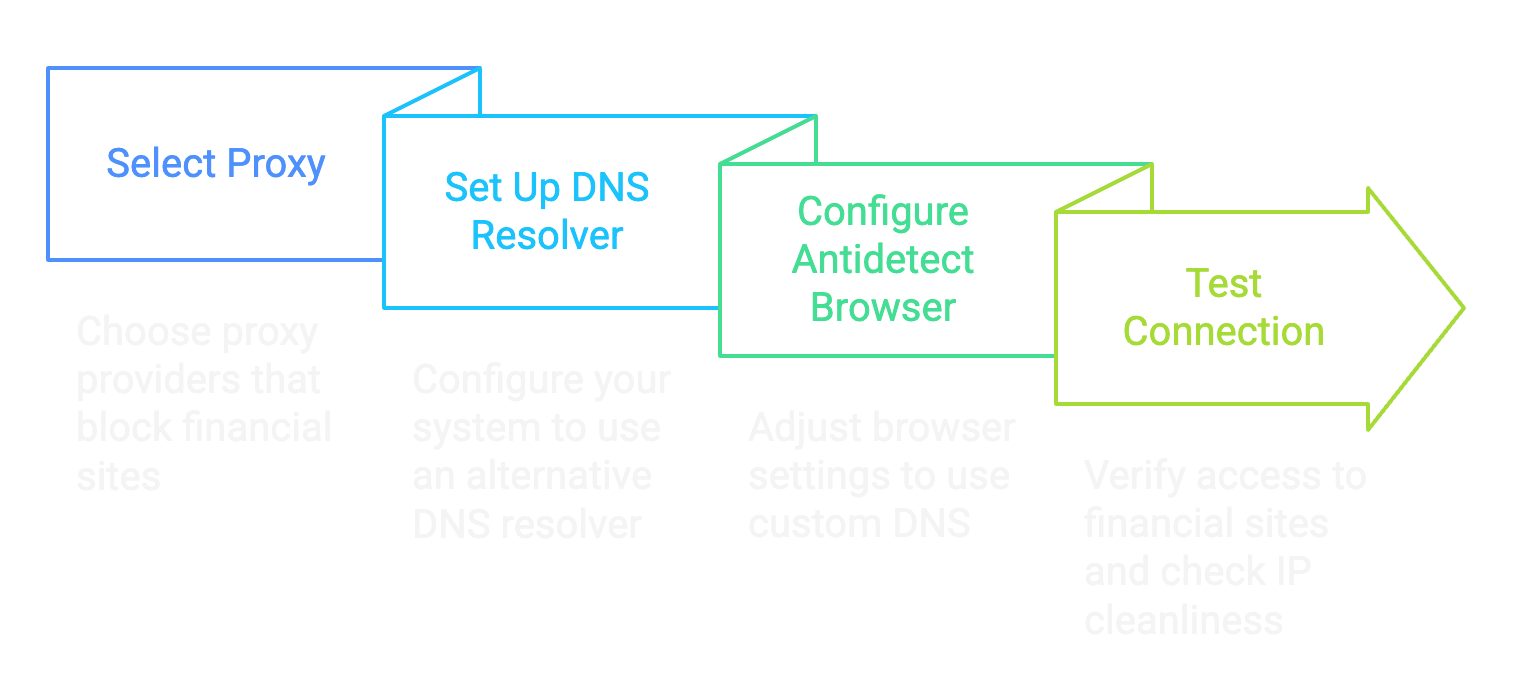
The problem is there isnt a singular way antidetect browsers manage DNS resolution, and this leads to a lot of people complaining and having issues with the method.

d0c's Proxy Script

Fuck relying on third-party software with a billion features when all you need is one goddamn thing. I got tired of watching newbies struggle with complex proxy setups so I built my own lightweight Python script that does exactly what we need - nothing more, nothing less.

This script sits between your browser and your proxy provider intercepting those DNS queries and routing them through Cloudflares 1.1.1.1 instead of whatever bullshit DNS your proxy provider forces on you. It's clean, efficient and doesnt require a PhD in networking to set up, and the best part: it works with every antidetect out there.

The beauty of this approach is its simplicity. No need to mess with system-wide network settings or fight with antidetect browsers' quirky implementations. Just run the script point your browser at the local port, and youve got pristine access to financial sites through clean residential IPs.

Here's the actual code that makes this magic happen:

* Hidden text: cannot be quoted. *


Step-by-Step Guide to Install

Step 1: Install Python 3.13

View attachment 8382
  • Open the Microsoft Store on your Windows computer
  • Search for "Python 3.13" in the search bar
  • Click on the Python 3.13 app from Microsoft or Python Software Foundation
  • Click "Get" or "Install" and wait for installation to complete
  • Once installed click "Open" or close the Microsoft Store

Step 2: Create a Project Directory
  • Open Command Prompt (Press Windows+R, type "cmd" and hit Enter)
  • Create a directory for the project:
Code:
mkdir C:\bindproxy
cd C:\bindproxy

View attachment 8388

Step 3: Create a Virtual Environment
  • Create a virtual environment to manage dependencies:
Code:
python -m venv venv
  • Activate the virtual environment:
Code:
venv\Scripts\activate

View attachment 8389

Step 4: Install Required Packages
  • While in the virtual environment (you'll see (venv) at the beginning of your command line) install the required packages:
Code:
pip install dnspython PySocks tabulate

View attachment 8390

Step 5: Create the Proxy Script
  • Create a new file called bindproxy.py in the project directory using any text editor (Notepad, VS Code etc.)
  • Copy the full code above into this file and save it

Step 6: Run the Proxy
  • In Command Prompt with the virtual environment activated, run:
Code:
python bindproxy.py
Code:
d0c's Proxy Binder
1. Bind Proxy
2. Current Proxies
3. Exit

Step 7: Bind a SOCKS5 Proxy
  • Select option 1 by typing 1 and pressing Enter
  • Enter your SOCKS5proxy details when prompted:
  • The tool will bind this proxy to a random local port between 6700-6900
View attachment 8387
View attachment 8383

Step 8: Configure Your Browser to Use the Proxy
  • Open your web browser or your antidetect
  • Set the HTTP proxy to 127.0.0.1 and the port to the one shown in the tool (e.g. 6708)
  • Test the connection by visiting a website
Step 9: Verify Your Setup Works
Time to make sure this shit actually works:
  • Visit ipinfo.io in your browser - it should show a residential IP from your proxy provider, not your real IP
  • Go to DNSLeakTest.com and run a standard test - the results should show Cloudflare DNS (not your ISP or proxy provider) (Ive covered this already but make sure to use a double-barrier approach if you are using a proxy outside of your own country since 1.1.1.1 connects to the nearest CF CDN, not having a VPN will make 1.1.1.1 leak your country)
    View attachment 8385
  • Head to https://1.1.1.1/help - this Cloudflare diagnostic page will confirm if you're actually using their DNS
  • The moment of truth: navigate to https://api.stripe.com - if it loads instead of timing out congratulations! Youve successfully bypassed the proxy's financial site blocking
    View attachment 8384

Conclusion

This method is the digital equivalent of putting on a disguise and sneaking past the bouncer. Your browser connects to my local proxy script, which handles the DNS resolution through Cloudflares clean 1.1.1.1 servers then forwards everything through your residential proxy.

Why is this better than other methods? Simple - it's transparent as fuck. You can see exactly what the code is doing, modify it if needed and it works with any browser that supports HTTP proxies - no more compatibility headaches.

The proxy providers think youre just accessing random IP addresses, when in reality you're hitting up financial sites without triggering their blocks. It's the perfect solution for carders who need clean IPs that can reliably access payment processors.

Now stop fucking around with broken setups and use a tool built specifically for our needs. d0ctrine out.
ty
 

aladin69

Newbie
Joined
05.11.25
Messages
37
Reaction score
2
Points
8
dTdVDJV.png

🌐 A Better Way to Get Clean Proxies 🌐

When I wrote 🌐 Strategic Carding: Getting the Cleanest Possible IPs 🌐 I didnt really expect many people to love it and use it regularly. It did what it was supposed to do and now tons of people have access to high-quality clean, residential proxies.


But it's not always rainbows and butterflies: lately people have been having problems setting up DNS on their antidetects. Often popular antidetects are having troubles resolving DNS properly leading to intermittent connections, often a lot of people even having trouble connecting in the first place. So today Im writing this guide to help everyone once and for all have clean and fast residential proxies.

The Theory

If you read through my previous guide about this the working theory is simple: we want proxy providers that block financial sites because this assures us that the proxies are unused in fraud and gives us an extremely higher chance in getting our from not getting blocked due to past history.

Wdgqh6X.png
The way we can work around this bypass is basically using our own DNS resolver, since these proxies block access through financial sites via DNS blocking. It's pretty simple: we use a different DNS (something like 1.1.1.1) than the proxy thus we resolve and not get blocked from financial sites.

The problem is there isnt a singular way antidetect browsers manage DNS resolution, and this leads to a lot of people complaining and having issues with the method.

d0c's Proxy Script

Fuck relying on third-party software with a billion features when all you need is one goddamn thing. I got tired of watching newbies struggle with complex proxy setups so I built my own lightweight Python script that does exactly what we need - nothing more, nothing less.

This script sits between your browser and your proxy provider intercepting those DNS queries and routing them through Cloudflares 1.1.1.1 instead of whatever bullshit DNS your proxy provider forces on you. It's clean, efficient and doesnt require a PhD in networking to set up, and the best part: it works with every antidetect out there.

The beauty of this approach is its simplicity. No need to mess with system-wide network settings or fight with antidetect browsers' quirky implementations. Just run the script point your browser at the local port, and youve got pristine access to financial sites through clean residential IPs.

Here's the actual code that makes this magic happen:

* Hidden text: cannot be quoted. *


Step-by-Step Guide to Install

Step 1: Install Python 3.13

View attachment 8382
  • Open the Microsoft Store on your Windows computer
  • Search for "Python 3.13" in the search bar
  • Click on the Python 3.13 app from Microsoft or Python Software Foundation
  • Click "Get" or "Install" and wait for installation to complete
  • Once installed click "Open" or close the Microsoft Store

Step 2: Create a Project Directory
  • Open Command Prompt (Press Windows+R, type "cmd" and hit Enter)
  • Create a directory for the project:
Code:
mkdir C:\bindproxy
cd C:\bindproxy

View attachment 8388

Step 3: Create a Virtual Environment
  • Create a virtual environment to manage dependencies:
Code:
python -m venv venv
  • Activate the virtual environment:
Code:
venv\Scripts\activate

View attachment 8389

Step 4: Install Required Packages
  • While in the virtual environment (you'll see (venv) at the beginning of your command line) install the required packages:
Code:
pip install dnspython PySocks tabulate

View attachment 8390

Step 5: Create the Proxy Script
  • Create a new file called bindproxy.py in the project directory using any text editor (Notepad, VS Code etc.)
  • Copy the full code above into this file and save it

Step 6: Run the Proxy
  • In Command Prompt with the virtual environment activated, run:
Code:
python bindproxy.py
Code:
d0c's Proxy Binder
1. Bind Proxy
2. Current Proxies
3. Exit

Step 7: Bind a SOCKS5 Proxy
  • Select option 1 by typing 1 and pressing Enter
  • Enter your SOCKS5proxy details when prompted:
  • The tool will bind this proxy to a random local port between 6700-6900
View attachment 8387
View attachment 8383

Step 8: Configure Your Browser to Use the Proxy
  • Open your web browser or your antidetect
  • Set the HTTP proxy to 127.0.0.1 and the port to the one shown in the tool (e.g. 6708)
  • Test the connection by visiting a website
Step 9: Verify Your Setup Works
Time to make sure this shit actually works:
  • Visit ipinfo.io in your browser - it should show a residential IP from your proxy provider, not your real IP
  • Go to DNSLeakTest.com and run a standard test - the results should show Cloudflare DNS (not your ISP or proxy provider) (Ive covered this already but make sure to use a double-barrier approach if you are using a proxy outside of your own country since 1.1.1.1 connects to the nearest CF CDN, not having a VPN will make 1.1.1.1 leak your country)
    View attachment 8385
  • Head to https://1.1.1.1/help - this Cloudflare diagnostic page will confirm if you're actually using their DNS
  • The moment of truth: navigate to https://api.stripe.com - if it loads instead of timing out congratulations! Youve successfully bypassed the proxy's financial site blocking
    View attachment 8384

Conclusion

This method is the digital equivalent of putting on a disguise and sneaking past the bouncer. Your browser connects to my local proxy script, which handles the DNS resolution through Cloudflares clean 1.1.1.1 servers then forwards everything through your residential proxy.

Why is this better than other methods? Simple - it's transparent as fuck. You can see exactly what the code is doing, modify it if needed and it works with any browser that supports HTTP proxies - no more compatibility headaches.

The proxy providers think youre just accessing random IP addresses, when in reality you're hitting up financial sites without triggering their blocks. It's the perfect solution for carders who need clean IPs that can reliably access payment processors.

Now stop fucking around with broken setups and use a tool built specifically for our needs. d0ctrine out.
gooood
 

carderbr

Newbie
Joined
22.02.26
Messages
2
Reaction score
0
Points
1
dTdVDJV.png

🌐 A Better Way to Get Clean Proxies 🌐

When I wrote 🌐 Strategic Carding: Getting the Cleanest Possible IPs 🌐 I didnt really expect many people to love it and use it regularly. It did what it was supposed to do and now tons of people have access to high-quality clean, residential proxies.


But it's not always rainbows and butterflies: lately people have been having problems setting up DNS on their antidetects. Often popular antidetects are having troubles resolving DNS properly leading to intermittent connections, often a lot of people even having trouble connecting in the first place. So today Im writing this guide to help everyone once and for all have clean and fast residential proxies.

The Theory

If you read through my previous guide about this the working theory is simple: we want proxy providers that block financial sites because this assures us that the proxies are unused in fraud and gives us an extremely higher chance in getting our from not getting blocked due to past history.

Wdgqh6X.png
The way we can work around this bypass is basically using our own DNS resolver, since these proxies block access through financial sites via DNS blocking. It's pretty simple: we use a different DNS (something like 1.1.1.1) than the proxy thus we resolve and not get blocked from financial sites.

The problem is there isnt a singular way antidetect browsers manage DNS resolution, and this leads to a lot of people complaining and having issues with the method.

d0c's Proxy Script

Fuck relying on third-party software with a billion features when all you need is one goddamn thing. I got tired of watching newbies struggle with complex proxy setups so I built my own lightweight Python script that does exactly what we need - nothing more, nothing less.

This script sits between your browser and your proxy provider intercepting those DNS queries and routing them through Cloudflares 1.1.1.1 instead of whatever bullshit DNS your proxy provider forces on you. It's clean, efficient and doesnt require a PhD in networking to set up, and the best part: it works with every antidetect out there.

The beauty of this approach is its simplicity. No need to mess with system-wide network settings or fight with antidetect browsers' quirky implementations. Just run the script point your browser at the local port, and youve got pristine access to financial sites through clean residential IPs.

Here's the actual code that makes this magic happen:

* Hidden text: cannot be quoted. *


Step-by-Step Guide to Install

Step 1: Install Python 3.13

View attachment 8382
  • Open the Microsoft Store on your Windows computer
  • Search for "Python 3.13" in the search bar
  • Click on the Python 3.13 app from Microsoft or Python Software Foundation
  • Click "Get" or "Install" and wait for installation to complete
  • Once installed click "Open" or close the Microsoft Store

Step 2: Create a Project Directory
  • Open Command Prompt (Press Windows+R, type "cmd" and hit Enter)
  • Create a directory for the project:
Code:
mkdir C:\bindproxy
cd C:\bindproxy

View attachment 8388

Step 3: Create a Virtual Environment
  • Create a virtual environment to manage dependencies:
Code:
python -m venv venv
  • Activate the virtual environment:
Code:
venv\Scripts\activate

View attachment 8389

Step 4: Install Required Packages
  • While in the virtual environment (you'll see (venv) at the beginning of your command line) install the required packages:
Code:
pip install dnspython PySocks tabulate

View attachment 8390

Step 5: Create the Proxy Script
  • Create a new file called bindproxy.py in the project directory using any text editor (Notepad, VS Code etc.)
  • Copy the full code above into this file and save it

Step 6: Run the Proxy
  • In Command Prompt with the virtual environment activated, run:
Code:
python bindproxy.py
Code:
d0c's Proxy Binder
1. Bind Proxy
2. Current Proxies
3. Exit

Step 7: Bind a SOCKS5 Proxy
  • Select option 1 by typing 1 and pressing Enter
  • Enter your SOCKS5proxy details when prompted:
  • The tool will bind this proxy to a random local port between 6700-6900
View attachment 8387
View attachment 8383

Step 8: Configure Your Browser to Use the Proxy
  • Open your web browser or your antidetect
  • Set the HTTP proxy to 127.0.0.1 and the port to the one shown in the tool (e.g. 6708)
  • Test the connection by visiting a website
Step 9: Verify Your Setup Works
Time to make sure this shit actually works:
  • Visit ipinfo.io in your browser - it should show a residential IP from your proxy provider, not your real IP
  • Go to DNSLeakTest.com and run a standard test - the results should show Cloudflare DNS (not your ISP or proxy provider) (Ive covered this already but make sure to use a double-barrier approach if you are using a proxy outside of your own country since 1.1.1.1 connects to the nearest CF CDN, not having a VPN will make 1.1.1.1 leak your country)
    View attachment 8385
  • Head to https://1.1.1.1/help - this Cloudflare diagnostic page will confirm if you're actually using their DNS
  • The moment of truth: navigate to https://api.stripe.com - if it loads instead of timing out congratulations! Youve successfully bypassed the proxy's financial site blocking
    View attachment 8384

Conclusion

This method is the digital equivalent of putting on a disguise and sneaking past the bouncer. Your browser connects to my local proxy script, which handles the DNS resolution through Cloudflares clean 1.1.1.1 servers then forwards everything through your residential proxy.

Why is this better than other methods? Simple - it's transparent as fuck. You can see exactly what the code is doing, modify it if needed and it works with any browser that supports HTTP proxies - no more compatibility headaches.

The proxy providers think youre just accessing random IP addresses, when in reality you're hitting up financial sites without triggering their blocks. It's the perfect solution for carders who need clean IPs that can reliably access payment processors.

Now stop fucking around with broken setups and use a tool built specifically for our needs. d0ctrine out.
perfect
 

aladin69

Newbie
Joined
05.11.25
Messages
37
Reaction score
2
Points
8
dTdVDJV.png

🌐 A Better Way to Get Clean Proxies 🌐

When I wrote 🌐 Strategic Carding: Getting the Cleanest Possible IPs 🌐 I didnt really expect many people to love it and use it regularly. It did what it was supposed to do and now tons of people have access to high-quality clean, residential proxies.


But it's not always rainbows and butterflies: lately people have been having problems setting up DNS on their antidetects. Often popular antidetects are having troubles resolving DNS properly leading to intermittent connections, often a lot of people even having trouble connecting in the first place. So today Im writing this guide to help everyone once and for all have clean and fast residential proxies.

The Theory

If you read through my previous guide about this the working theory is simple: we want proxy providers that block financial sites because this assures us that the proxies are unused in fraud and gives us an extremely higher chance in getting our from not getting blocked due to past history.

Wdgqh6X.png
The way we can work around this bypass is basically using our own DNS resolver, since these proxies block access through financial sites via DNS blocking. It's pretty simple: we use a different DNS (something like 1.1.1.1) than the proxy thus we resolve and not get blocked from financial sites.

The problem is there isnt a singular way antidetect browsers manage DNS resolution, and this leads to a lot of people complaining and having issues with the method.

d0c's Proxy Script

Fuck relying on third-party software with a billion features when all you need is one goddamn thing. I got tired of watching newbies struggle with complex proxy setups so I built my own lightweight Python script that does exactly what we need - nothing more, nothing less.

This script sits between your browser and your proxy provider intercepting those DNS queries and routing them through Cloudflares 1.1.1.1 instead of whatever bullshit DNS your proxy provider forces on you. It's clean, efficient and doesnt require a PhD in networking to set up, and the best part: it works with every antidetect out there.

The beauty of this approach is its simplicity. No need to mess with system-wide network settings or fight with antidetect browsers' quirky implementations. Just run the script point your browser at the local port, and youve got pristine access to financial sites through clean residential IPs.

Here's the actual code that makes this magic happen:

* Hidden text: cannot be quoted. *


Step-by-Step Guide to Install

Step 1: Install Python 3.13

View attachment 8382
  • Open the Microsoft Store on your Windows computer
  • Search for "Python 3.13" in the search bar
  • Click on the Python 3.13 app from Microsoft or Python Software Foundation
  • Click "Get" or "Install" and wait for installation to complete
  • Once installed click "Open" or close the Microsoft Store

Step 2: Create a Project Directory
  • Open Command Prompt (Press Windows+R, type "cmd" and hit Enter)
  • Create a directory for the project:
Code:
mkdir C:\bindproxy
cd C:\bindproxy

View attachment 8388

Step 3: Create a Virtual Environment
  • Create a virtual environment to manage dependencies:
Code:
python -m venv venv
  • Activate the virtual environment:
Code:
venv\Scripts\activate

View attachment 8389

Step 4: Install Required Packages
  • While in the virtual environment (you'll see (venv) at the beginning of your command line) install the required packages:
Code:
pip install dnspython PySocks tabulate

View attachment 8390

Step 5: Create the Proxy Script
  • Create a new file called bindproxy.py in the project directory using any text editor (Notepad, VS Code etc.)
  • Copy the full code above into this file and save it

Step 6: Run the Proxy
  • In Command Prompt with the virtual environment activated, run:
Code:
python bindproxy.py
Code:
d0c's Proxy Binder
1. Bind Proxy
2. Current Proxies
3. Exit

Step 7: Bind a SOCKS5 Proxy
  • Select option 1 by typing 1 and pressing Enter
  • Enter your SOCKS5proxy details when prompted:
  • The tool will bind this proxy to a random local port between 6700-6900
View attachment 8387
View attachment 8383

Step 8: Configure Your Browser to Use the Proxy
  • Open your web browser or your antidetect
  • Set the HTTP proxy to 127.0.0.1 and the port to the one shown in the tool (e.g. 6708)
  • Test the connection by visiting a website
Step 9: Verify Your Setup Works
Time to make sure this shit actually works:
  • Visit ipinfo.io in your browser - it should show a residential IP from your proxy provider, not your real IP
  • Go to DNSLeakTest.com and run a standard test - the results should show Cloudflare DNS (not your ISP or proxy provider) (Ive covered this already but make sure to use a double-barrier approach if you are using a proxy outside of your own country since 1.1.1.1 connects to the nearest CF CDN, not having a VPN will make 1.1.1.1 leak your country)
    View attachment 8385
  • Head to https://1.1.1.1/help - this Cloudflare diagnostic page will confirm if you're actually using their DNS
  • The moment of truth: navigate to https://api.stripe.com - if it loads instead of timing out congratulations! Youve successfully bypassed the proxy's financial site blocking
    View attachment 8384

Conclusion

This method is the digital equivalent of putting on a disguise and sneaking past the bouncer. Your browser connects to my local proxy script, which handles the DNS resolution through Cloudflares clean 1.1.1.1 servers then forwards everything through your residential proxy.

Why is this better than other methods? Simple - it's transparent as fuck. You can see exactly what the code is doing, modify it if needed and it works with any browser that supports HTTP proxies - no more compatibility headaches.

The proxy providers think youre just accessing random IP addresses, when in reality you're hitting up financial sites without triggering their blocks. It's the perfect solution for carders who need clean IPs that can reliably access payment processors.

Now stop fucking around with broken setups and use a tool built specifically for our needs. d0ctrine out.
goood
 

kermitzee

Newbie
Joined
04.03.26
Messages
8
Reaction score
0
Points
1
dTdVDJV.png

🌐 A Better Way to Get Clean Proxies 🌐

When I wrote 🌐 Strategic Carding: Getting the Cleanest Possible IPs 🌐 I didnt really expect many people to love it and use it regularly. It did what it was supposed to do and now tons of people have access to high-quality clean, residential proxies.


But it's not always rainbows and butterflies: lately people have been having problems setting up DNS on their antidetects. Often popular antidetects are having troubles resolving DNS properly leading to intermittent connections, often a lot of people even having trouble connecting in the first place. So today Im writing this guide to help everyone once and for all have clean and fast residential proxies.

The Theory

If you read through my previous guide about this the working theory is simple: we want proxy providers that block financial sites because this assures us that the proxies are unused in fraud and gives us an extremely higher chance in getting our from not getting blocked due to past history.

Wdgqh6X.png
The way we can work around this bypass is basically using our own DNS resolver, since these proxies block access through financial sites via DNS blocking. It's pretty simple: we use a different DNS (something like 1.1.1.1) than the proxy thus we resolve and not get blocked from financial sites.

The problem is there isnt a singular way antidetect browsers manage DNS resolution, and this leads to a lot of people complaining and having issues with the method.

d0c's Proxy Script

Fuck relying on third-party software with a billion features when all you need is one goddamn thing. I got tired of watching newbies struggle with complex proxy setups so I built my own lightweight Python script that does exactly what we need - nothing more, nothing less.

This script sits between your browser and your proxy provider intercepting those DNS queries and routing them through Cloudflares 1.1.1.1 instead of whatever bullshit DNS your proxy provider forces on you. It's clean, efficient and doesnt require a PhD in networking to set up, and the best part: it works with every antidetect out there.

The beauty of this approach is its simplicity. No need to mess with system-wide network settings or fight with antidetect browsers' quirky implementations. Just run the script point your browser at the local port, and youve got pristine access to financial sites through clean residential IPs.

Here's the actual code that makes this magic happen:

* Hidden text: cannot be quoted. *


Step-by-Step Guide to Install

Step 1: Install Python 3.13

View attachment 8382
  • Open the Microsoft Store on your Windows computer
  • Search for "Python 3.13" in the search bar
  • Click on the Python 3.13 app from Microsoft or Python Software Foundation
  • Click "Get" or "Install" and wait for installation to complete
  • Once installed click "Open" or close the Microsoft Store

Step 2: Create a Project Directory
  • Open Command Prompt (Press Windows+R, type "cmd" and hit Enter)
  • Create a directory for the project:
Code:
mkdir C:\bindproxy
cd C:\bindproxy

View attachment 8388

Step 3: Create a Virtual Environment
  • Create a virtual environment to manage dependencies:
Code:
python -m venv venv
  • Activate the virtual environment:
Code:
venv\Scripts\activate

View attachment 8389

Step 4: Install Required Packages
  • While in the virtual environment (you'll see (venv) at the beginning of your command line) install the required packages:
Code:
pip install dnspython PySocks tabulate

View attachment 8390

Step 5: Create the Proxy Script
  • Create a new file called bindproxy.py in the project directory using any text editor (Notepad, VS Code etc.)
  • Copy the full code above into this file and save it

Step 6: Run the Proxy
  • In Command Prompt with the virtual environment activated, run:
Code:
python bindproxy.py
Code:
d0c's Proxy Binder
1. Bind Proxy
2. Current Proxies
3. Exit

Step 7: Bind a SOCKS5 Proxy
  • Select option 1 by typing 1 and pressing Enter
  • Enter your SOCKS5proxy details when prompted:
  • The tool will bind this proxy to a random local port between 6700-6900
View attachment 8387
View attachment 8383

Step 8: Configure Your Browser to Use the Proxy
  • Open your web browser or your antidetect
  • Set the HTTP proxy to 127.0.0.1 and the port to the one shown in the tool (e.g. 6708)
  • Test the connection by visiting a website
Step 9: Verify Your Setup Works
Time to make sure this shit actually works:
  • Visit ipinfo.io in your browser - it should show a residential IP from your proxy provider, not your real IP
  • Go to DNSLeakTest.com and run a standard test - the results should show Cloudflare DNS (not your ISP or proxy provider) (Ive covered this already but make sure to use a double-barrier approach if you are using a proxy outside of your own country since 1.1.1.1 connects to the nearest CF CDN, not having a VPN will make 1.1.1.1 leak your country)
    View attachment 8385
  • Head to https://1.1.1.1/help - this Cloudflare diagnostic page will confirm if you're actually using their DNS
  • The moment of truth: navigate to https://api.stripe.com - if it loads instead of timing out congratulations! Youve successfully bypassed the proxy's financial site blocking
    View attachment 8384

Conclusion

This method is the digital equivalent of putting on a disguise and sneaking past the bouncer. Your browser connects to my local proxy script, which handles the DNS resolution through Cloudflares clean 1.1.1.1 servers then forwards everything through your residential proxy.

Why is this better than other methods? Simple - it's transparent as fuck. You can see exactly what the code is doing, modify it if needed and it works with any browser that supports HTTP proxies - no more compatibility headaches.

The proxy providers think youre just accessing random IP addresses, when in reality you're hitting up financial sites without triggering their blocks. It's the perfect solution for carders who need clean IPs that can reliably access payment processors.

Now stop fucking around with broken setups and use a tool built specifically for our needs. d0ctrine out.
ty
 
Joined
24.03.26
Messages
2
Reaction score
0
Points
1
dTdVDJV.png

🌐 A Better Way to Get Clean Proxies 🌐

When I wrote 🌐 Strategic Carding: Getting the Cleanest Possible IPs 🌐 I didnt really expect many people to love it and use it regularly. It did what it was supposed to do and now tons of people have access to high-quality clean, residential proxies.


But it's not always rainbows and butterflies: lately people have been having problems setting up DNS on their antidetects. Often popular antidetects are having troubles resolving DNS properly leading to intermittent connections, often a lot of people even having trouble connecting in the first place. So today Im writing this guide to help everyone once and for all have clean and fast residential proxies.

The Theory

If you read through my previous guide about this the working theory is simple: we want proxy providers that block financial sites because this assures us that the proxies are unused in fraud and gives us an extremely higher chance in getting our from not getting blocked due to past history.

Wdgqh6X.png
The way we can work around this bypass is basically using our own DNS resolver, since these proxies block access through financial sites via DNS blocking. It's pretty simple: we use a different DNS (something like 1.1.1.1) than the proxy thus we resolve and not get blocked from financial sites.

The problem is there isnt a singular way antidetect browsers manage DNS resolution, and this leads to a lot of people complaining and having issues with the method.

d0c's Proxy Script

Fuck relying on third-party software with a billion features when all you need is one goddamn thing. I got tired of watching newbies struggle with complex proxy setups so I built my own lightweight Python script that does exactly what we need - nothing more, nothing less.

This script sits between your browser and your proxy provider intercepting those DNS queries and routing them through Cloudflares 1.1.1.1 instead of whatever bullshit DNS your proxy provider forces on you. It's clean, efficient and doesnt require a PhD in networking to set up, and the best part: it works with every antidetect out there.

The beauty of this approach is its simplicity. No need to mess with system-wide network settings or fight with antidetect browsers' quirky implementations. Just run the script point your browser at the local port, and youve got pristine access to financial sites through clean residential IPs.

Here's the actual code that makes this magic happen:

* Hidden text: cannot be quoted. *


Step-by-Step Guide to Install

Step 1: Install Python 3.13

View attachment 8382
  • Open the Microsoft Store on your Windows computer
  • Search for "Python 3.13" in the search bar
  • Click on the Python 3.13 app from Microsoft or Python Software Foundation
  • Click "Get" or "Install" and wait for installation to complete
  • Once installed click "Open" or close the Microsoft Store

Step 2: Create a Project Directory
  • Open Command Prompt (Press Windows+R, type "cmd" and hit Enter)
  • Create a directory for the project:
Code:
mkdir C:\bindproxy
cd C:\bindproxy

View attachment 8388

Step 3: Create a Virtual Environment
  • Create a virtual environment to manage dependencies:
Code:
python -m venv venv
  • Activate the virtual environment:
Code:
venv\Scripts\activate

View attachment 8389

Step 4: Install Required Packages
  • While in the virtual environment (you'll see (venv) at the beginning of your command line) install the required packages:
Code:
pip install dnspython PySocks tabulate

View attachment 8390

Step 5: Create the Proxy Script
  • Create a new file called bindproxy.py in the project directory using any text editor (Notepad, VS Code etc.)
  • Copy the full code above into this file and save it

Step 6: Run the Proxy
  • In Command Prompt with the virtual environment activated, run:
Code:
python bindproxy.py
Code:
d0c's Proxy Binder
1. Bind Proxy
2. Current Proxies
3. Exit

Step 7: Bind a SOCKS5 Proxy
  • Select option 1 by typing 1 and pressing Enter
  • Enter your SOCKS5proxy details when prompted:
  • The tool will bind this proxy to a random local port between 6700-6900
View attachment 8387
View attachment 8383

Step 8: Configure Your Browser to Use the Proxy
  • Open your web browser or your antidetect
  • Set the HTTP proxy to 127.0.0.1 and the port to the one shown in the tool (e.g. 6708)
  • Test the connection by visiting a website
Step 9: Verify Your Setup Works
Time to make sure this shit actually works:
  • Visit ipinfo.io in your browser - it should show a residential IP from your proxy provider, not your real IP
  • Go to DNSLeakTest.com and run a standard test - the results should show Cloudflare DNS (not your ISP or proxy provider) (Ive covered this already but make sure to use a double-barrier approach if you are using a proxy outside of your own country since 1.1.1.1 connects to the nearest CF CDN, not having a VPN will make 1.1.1.1 leak your country)
    View attachment 8385
  • Head to https://1.1.1.1/help - this Cloudflare diagnostic page will confirm if you're actually using their DNS
  • The moment of truth: navigate to https://api.stripe.com - if it loads instead of timing out congratulations! Youve successfully bypassed the proxy's financial site blocking
    View attachment 8384

Conclusion

This method is the digital equivalent of putting on a disguise and sneaking past the bouncer. Your browser connects to my local proxy script, which handles the DNS resolution through Cloudflares clean 1.1.1.1 servers then forwards everything through your residential proxy.

Why is this better than other methods? Simple - it's transparent as fuck. You can see exactly what the code is doing, modify it if needed and it works with any browser that supports HTTP proxies - no more compatibility headaches.

The proxy providers think youre just accessing random IP addresses, when in reality you're hitting up financial sites without triggering their blocks. It's the perfect solution for carders who need clean IPs that can reliably access payment processors.

Now stop fucking around with broken setups and use a tool built specifically for our needs. d0ctrine out.
thanks!
 

Lswgsakf321

Newbie
Joined
23.03.26
Messages
8
Reaction score
0
Points
1
dTdVDJV.png

🌐 A Better Way to Get Clean Proxies 🌐

When I wrote 🌐 Strategic Carding: Getting the Cleanest Possible IPs 🌐 I didnt really expect many people to love it and use it regularly. It did what it was supposed to do and now tons of people have access to high-quality clean, residential proxies.


But it's not always rainbows and butterflies: lately people have been having problems setting up DNS on their antidetects. Often popular antidetects are having troubles resolving DNS properly leading to intermittent connections, often a lot of people even having trouble connecting in the first place. So today Im writing this guide to help everyone once and for all have clean and fast residential proxies.

The Theory

If you read through my previous guide about this the working theory is simple: we want proxy providers that block financial sites because this assures us that the proxies are unused in fraud and gives us an extremely higher chance in getting our from not getting blocked due to past history.

Wdgqh6X.png
The way we can work around this bypass is basically using our own DNS resolver, since these proxies block access through financial sites via DNS blocking. It's pretty simple: we use a different DNS (something like 1.1.1.1) than the proxy thus we resolve and not get blocked from financial sites.

The problem is there isnt a singular way antidetect browsers manage DNS resolution, and this leads to a lot of people complaining and having issues with the method.

d0c's Proxy Script

Fuck relying on third-party software with a billion features when all you need is one goddamn thing. I got tired of watching newbies struggle with complex proxy setups so I built my own lightweight Python script that does exactly what we need - nothing more, nothing less.

This script sits between your browser and your proxy provider intercepting those DNS queries and routing them through Cloudflares 1.1.1.1 instead of whatever bullshit DNS your proxy provider forces on you. It's clean, efficient and doesnt require a PhD in networking to set up, and the best part: it works with every antidetect out there.

The beauty of this approach is its simplicity. No need to mess with system-wide network settings or fight with antidetect browsers' quirky implementations. Just run the script point your browser at the local port, and youve got pristine access to financial sites through clean residential IPs.

Here's the actual code that makes this magic happen:

* Hidden text: cannot be quoted. *


Пошаговая инструкция по установке

Шаг 1: Установите Python 3.13

View attachment 8382
  • Откройте Microsoft Store на своем компьютере с Windows.
  • Введите в строку поиска " Python 3.13 ".
  • Нажмите на приложение Python 3.13 от Microsoft или Python Software Foundation.
  • Нажмите «Получить» или «Установить» и дождитесь завершения установки.
  • После установки нажмите «Открыть» или закройте Microsoft Store.

Шаг 2: Создайте каталог проекта.
  • Откройте командную строку (нажмите Windows+R, введите "cmd" и нажмите Enter).
  • Создайте директорию для проекта:
[код]
mkdir C:\bindproxy
cd C:\bindproxy
[/код]

View attachment 8388

Шаг 3: Создание виртуальной среды
  • Создайте виртуальную среду для управления зависимостями:
[код]
python -m venv venv
[/код]
  • Активируйте виртуальную среду:
[код]
venv\Scripts\activate
[/код]

View attachment 8389

Шаг 4: Установите необходимые пакеты
  • Находясь в виртуальной среде (вы увидите (venv) в начале командной строки), установите необходимые пакеты:
[код]
pip install dnspython PySocks tabulate
[/код]

View attachment 8390

Шаг 5: Создайте скрипт прокси.
  • Создайте новый файл с именем bindproxy.py в каталоге проекта, используя любой текстовый редактор ( Блокнот , VS Code и т. д.).
  • Скопируйте весь приведенный выше код в этот файл и сохраните его.

Шаг 6: Запустите прокси-сервер
  • В командной строке с активированной виртуальной средой выполните следующую команду:
[код]
python bindproxy.py
[/код]
[код]
d0c's Proxy Binder
1. Привязка прокси
2. Текущие прокси-серверы
3. Выход
[/код]

Шаг 7: Привязка SOCKS5-прокси
  • Выберите вариант 1, набрав 1 и нажав Enter.
  • При появлении запроса введите данные вашего SOCKS5 -прокси:
    • Формат: имя пользователя: пароль@сервер: порт
    • Пример: user123: pass456@gate.smartproxy.io :1080
  • Инструмент привяжет этот прокси к случайному локальному порту в диапазоне 6700-6900.
View attachment 8387
View attachment 8383

Шаг 8: Настройте браузер для использования прокси-сервера.
  • Откройте веб-браузер или антивирус.
  • Установите HTTP-прокси на 127.0.0.1 и порт на тот, который указан в инструменте (например, 6708).
  • Проверьте соединение, посетив веб-сайт.
Шаг 9: Убедитесь, что ваша настройка работает.
Пора убедиться, что эта штука действительно работает:
  • Откройте ipinfo.io в своем браузере — там должен отображаться резидентный IP-адрес от вашего прокси-провайдера, а не ваш реальный IP-адрес.
  • Зайдите на DNSLeakTest.com и проведите стандартный тест — результаты должны показать DNS Cloudflare (а не вашего интернет-провайдера или прокси-сервера) (я уже говорил об этом, но обязательно используйте двойной барьер, если вы используете прокси за пределами своей страны, поскольку 1.1.1.1 подключается к ближайшему CDN Cloudflare, и отсутствие VPN приведет к утечке информации о вашей стране через 1.1.1.1 ).
    View attachment 8385
  • Перейдите по ссылке https://1.1.1.1/help — эта диагностическая страница Cloudflare подтвердит, действительно ли вы используете их DNS.
  • Момент истины: перейдите по ссылке https://api.stripe.com — если страница загрузится, а не выдаст ошибку тайм-аута, поздравляем! Вы успешно обошли блокировку финансовых сайтов, установленную прокси-сервером.
    View attachment 8384

Заключение

Этот метод — цифровой эквивалент того, чтобы замаскироваться и незаметно пройти мимо вышибалы. Ваш браузер подключается к моему локальному прокси-скрипту, который обрабатывает разрешение DNS через чистые серверы Cloudflare 1.1.1.1, а затем перенаправляет все через ваш домашний прокси.

Почему это лучше других методов? Всё просто — это невероятно прозрачно . Вы можете точно видеть, что делает код, при необходимости внести в него изменения, и он работает с любым браузером, поддерживающим HTTP-прокси — никаких больше проблем с совместимостью .

Прокси-провайдеры считают, что вы просто обращаетесь к случайным IP-адресам, тогда как на самом деле вы посещаете финансовые сайты, не вызывая срабатывания их блокировок. Это идеальное решение для мошенников, которым нужны чистые IP-адреса, позволяющие надежно получать доступ к платежным системам.

Прекратите возиться с неисправными настройками и используйте инструмент, созданный специально для наших нужд. d0ctrine уходит.
intresting
 

kikoriko2023

Newbie
Joined
05.09.25
Messages
15
Reaction score
1
Points
3
dTdVDJV.png

🌐 A Better Way to Get Clean Proxies 🌐

When I wrote 🌐 Strategic Carding: Getting the Cleanest Possible IPs 🌐 I didnt really expect many people to love it and use it regularly. It did what it was supposed to do and now tons of people have access to high-quality clean, residential proxies.


But it's not always rainbows and butterflies: lately people have been having problems setting up DNS on their antidetects. Often popular antidetects are having troubles resolving DNS properly leading to intermittent connections, often a lot of people even having trouble connecting in the first place. So today Im writing this guide to help everyone once and for all have clean and fast residential proxies.

The Theory

If you read through my previous guide about this the working theory is simple: we want proxy providers that block financial sites because this assures us that the proxies are unused in fraud and gives us an extremely higher chance in getting our from not getting blocked due to past history.

Wdgqh6X.png
The way we can work around this bypass is basically using our own DNS resolver, since these proxies block access through financial sites via DNS blocking. It's pretty simple: we use a different DNS (something like 1.1.1.1) than the proxy thus we resolve and not get blocked from financial sites.

The problem is there isnt a singular way antidetect browsers manage DNS resolution, and this leads to a lot of people complaining and having issues with the method.

d0c's Proxy Script

Fuck relying on third-party software with a billion features when all you need is one goddamn thing. I got tired of watching newbies struggle with complex proxy setups so I built my own lightweight Python script that does exactly what we need - nothing more, nothing less.

This script sits between your browser and your proxy provider intercepting those DNS queries and routing them through Cloudflares 1.1.1.1 instead of whatever bullshit DNS your proxy provider forces on you. It's clean, efficient and doesnt require a PhD in networking to set up, and the best part: it works with every antidetect out there.

The beauty of this approach is its simplicity. No need to mess with system-wide network settings or fight with antidetect browsers' quirky implementations. Just run the script point your browser at the local port, and youve got pristine access to financial sites through clean residential IPs.

Here's the actual code that makes this magic happen:

* Hidden text: cannot be quoted. *


Step-by-Step Guide to Install

Step 1: Install Python 3.13

View attachment 8382
  • Open the Microsoft Store on your Windows computer
  • Search for "Python 3.13" in the search bar
  • Click on the Python 3.13 app from Microsoft or Python Software Foundation
  • Click "Get" or "Install" and wait for installation to complete
  • Once installed click "Open" or close the Microsoft Store

Step 2: Create a Project Directory
  • Open Command Prompt (Press Windows+R, type "cmd" and hit Enter)
  • Create a directory for the project:
Code:
mkdir C:\bindproxy
cd C:\bindproxy

View attachment 8388

Step 3: Create a Virtual Environment
  • Create a virtual environment to manage dependencies:
Code:
python -m venv venv
  • Activate the virtual environment:
Code:
venv\Scripts\activate

View attachment 8389

Step 4: Install Required Packages
  • While in the virtual environment (you'll see (venv) at the beginning of your command line) install the required packages:
Code:
pip install dnspython PySocks tabulate

View attachment 8390

Step 5: Create the Proxy Script
  • Create a new file called bindproxy.py in the project directory using any text editor (Notepad, VS Code etc.)
  • Copy the full code above into this file and save it

Step 6: Run the Proxy
  • In Command Prompt with the virtual environment activated, run:
Code:
python bindproxy.py
Code:
d0c's Proxy Binder
1. Bind Proxy
2. Current Proxies
3. Exit

Step 7: Bind a SOCKS5 Proxy
  • Select option 1 by typing 1 and pressing Enter
  • Enter your SOCKS5proxy details when prompted:
  • The tool will bind this proxy to a random local port between 6700-6900
View attachment 8387
View attachment 8383

Step 8: Configure Your Browser to Use the Proxy
  • Open your web browser or your antidetect
  • Set the HTTP proxy to 127.0.0.1 and the port to the one shown in the tool (e.g. 6708)
  • Test the connection by visiting a website
Step 9: Verify Your Setup Works
Time to make sure this shit actually works:
  • Visit ipinfo.io in your browser - it should show a residential IP from your proxy provider, not your real IP
  • Go to DNSLeakTest.com and run a standard test - the results should show Cloudflare DNS (not your ISP or proxy provider) (Ive covered this already but make sure to use a double-barrier approach if you are using a proxy outside of your own country since 1.1.1.1 connects to the nearest CF CDN, not having a VPN will make 1.1.1.1 leak your country)
    View attachment 8385
  • Head to https://1.1.1.1/help - this Cloudflare diagnostic page will confirm if you're actually using their DNS
  • The moment of truth: navigate to https://api.stripe.com - if it loads instead of timing out congratulations! Youve successfully bypassed the proxy's financial site blocking
    View attachment 8384

Conclusion

This method is the digital equivalent of putting on a disguise and sneaking past the bouncer. Your browser connects to my local proxy script, which handles the DNS resolution through Cloudflares clean 1.1.1.1 servers then forwards everything through your residential proxy.

Why is this better than other methods? Simple - it's transparent as fuck. You can see exactly what the code is doing, modify it if needed and it works with any browser that supports HTTP proxies - no more compatibility headaches.

The proxy providers think youre just accessing random IP addresses, when in reality you're hitting up financial sites without triggering their blocks. It's the perfect solution for carders who need clean IPs that can reliably access payment processors.

Now stop fucking around with broken setups and use a tool built specifically for our needs. d0ctrine out.
Thank you
 

rywudet12

Newbie
Joined
11.04.26
Messages
11
Reaction score
0
Points
1
dTdVDJV.png

🌐 A Better Way to Get Clean Proxies 🌐

When I wrote 🌐 Strategic Carding: Getting the Cleanest Possible IPs 🌐 I didnt really expect many people to love it and use it regularly. It did what it was supposed to do and now tons of people have access to high-quality clean, residential proxies.


But it's not always rainbows and butterflies: lately people have been having problems setting up DNS on their antidetects. Often popular antidetects are having troubles resolving DNS properly leading to intermittent connections, often a lot of people even having trouble connecting in the first place. So today Im writing this guide to help everyone once and for all have clean and fast residential proxies.

The Theory

If you read through my previous guide about this the working theory is simple: we want proxy providers that block financial sites because this assures us that the proxies are unused in fraud and gives us an extremely higher chance in getting our from not getting blocked due to past history.

Wdgqh6X.png
The way we can work around this bypass is basically using our own DNS resolver, since these proxies block access through financial sites via DNS blocking. It's pretty simple: we use a different DNS (something like 1.1.1.1) than the proxy thus we resolve and not get blocked from financial sites.

The problem is there isnt a singular way antidetect browsers manage DNS resolution, and this leads to a lot of people complaining and having issues with the method.

d0c's Proxy Script

Fuck relying on third-party software with a billion features when all you need is one goddamn thing. I got tired of watching newbies struggle with complex proxy setups so I built my own lightweight Python script that does exactly what we need - nothing more, nothing less.

This script sits between your browser and your proxy provider intercepting those DNS queries and routing them through Cloudflares 1.1.1.1 instead of whatever bullshit DNS your proxy provider forces on you. It's clean, efficient and doesnt require a PhD in networking to set up, and the best part: it works with every antidetect out there.

The beauty of this approach is its simplicity. No need to mess with system-wide network settings or fight with antidetect browsers' quirky implementations. Just run the script point your browser at the local port, and youve got pristine access to financial sites through clean residential IPs.

Here's the actual code that makes this magic happen:

* Hidden text: cannot be quoted. *


Step-by-Step Guide to Install

Step 1: Install Python 3.13

View attachment 8382
  • Open the Microsoft Store on your Windows computer
  • Search for "Python 3.13" in the search bar
  • Click on the Python 3.13 app from Microsoft or Python Software Foundation
  • Click "Get" or "Install" and wait for installation to complete
  • Once installed click "Open" or close the Microsoft Store

Step 2: Create a Project Directory
  • Open Command Prompt (Press Windows+R, type "cmd" and hit Enter)
  • Create a directory for the project:
Code:
mkdir C:\bindproxy
cd C:\bindproxy

View attachment 8388

Step 3: Create a Virtual Environment
  • Create a virtual environment to manage dependencies:
Code:
python -m venv venv
  • Activate the virtual environment:
Code:
venv\Scripts\activate

View attachment 8389

Step 4: Install Required Packages
  • While in the virtual environment (you'll see (venv) at the beginning of your command line) install the required packages:
Code:
pip install dnspython PySocks tabulate

View attachment 8390

Step 5: Create the Proxy Script
  • Create a new file called bindproxy.py in the project directory using any text editor (Notepad, VS Code etc.)
  • Copy the full code above into this file and save it

Step 6: Run the Proxy
  • In Command Prompt with the virtual environment activated, run:
Code:
python bindproxy.py
Code:
d0c's Proxy Binder
1. Bind Proxy
2. Current Proxies
3. Exit

Step 7: Bind a SOCKS5 Proxy
  • Select option 1 by typing 1 and pressing Enter
  • Enter your SOCKS5proxy details when prompted:
  • The tool will bind this proxy to a random local port between 6700-6900
View attachment 8387
View attachment 8383

Step 8: Configure Your Browser to Use the Proxy
  • Open your web browser or your antidetect
  • Set the HTTP proxy to 127.0.0.1 and the port to the one shown in the tool (e.g. 6708)
  • Test the connection by visiting a website
Step 9: Verify Your Setup Works
Time to make sure this shit actually works:
  • Visit ipinfo.io in your browser - it should show a residential IP from your proxy provider, not your real IP
  • Go to DNSLeakTest.com and run a standard test - the results should show Cloudflare DNS (not your ISP or proxy provider) (Ive covered this already but make sure to use a double-barrier approach if you are using a proxy outside of your own country since 1.1.1.1 connects to the nearest CF CDN, not having a VPN will make 1.1.1.1 leak your country)
    View attachment 8385
  • Head to https://1.1.1.1/help - this Cloudflare diagnostic page will confirm if you're actually using their DNS
  • The moment of truth: navigate to https://api.stripe.com - if it loads instead of timing out congratulations! Youve successfully bypassed the proxy's financial site blocking
    View attachment 8384

Conclusion

This method is the digital equivalent of putting on a disguise and sneaking past the bouncer. Your browser connects to my local proxy script, which handles the DNS resolution through Cloudflares clean 1.1.1.1 servers then forwards everything through your residential proxy.

Why is this better than other methods? Simple - it's transparent as fuck. You can see exactly what the code is doing, modify it if needed and it works with any browser that supports HTTP proxies - no more compatibility headaches.

The proxy providers think youre just accessing random IP addresses, when in reality you're hitting up financial sites without triggering their blocks. It's the perfect solution for carders who need clean IPs that can reliably access payment processors.

Now stop fucking around with broken setups and use a tool built specifically for our needs. d0ctrine out.
thx!
 

gaddaficc

Newbie
Joined
05.09.25
Messages
5
Reaction score
0
Points
1
dTdVDJV.png

🌐 A Better Way to Get Clean Proxies 🌐

When I wrote 🌐 Strategic Carding: Getting the Cleanest Possible IPs 🌐 I didnt really expect many people to love it and use it regularly. It did what it was supposed to do and now tons of people have access to high-quality clean, residential proxies.


But it's not always rainbows and butterflies: lately people have been having problems setting up DNS on their antidetects. Often popular antidetects are having troubles resolving DNS properly leading to intermittent connections, often a lot of people even having trouble connecting in the first place. So today Im writing this guide to help everyone once and for all have clean and fast residential proxies.

The Theory

If you read through my previous guide about this the working theory is simple: we want proxy providers that block financial sites because this assures us that the proxies are unused in fraud and gives us an extremely higher chance in getting our from not getting blocked due to past history.

Wdgqh6X.png
The way we can work around this bypass is basically using our own DNS resolver, since these proxies block access through financial sites via DNS blocking. It's pretty simple: we use a different DNS (something like 1.1.1.1) than the proxy thus we resolve and not get blocked from financial sites.

The problem is there isnt a singular way antidetect browsers manage DNS resolution, and this leads to a lot of people complaining and having issues with the method.

d0c's Proxy Script

Fuck relying on third-party software with a billion features when all you need is one goddamn thing. I got tired of watching newbies struggle with complex proxy setups so I built my own lightweight Python script that does exactly what we need - nothing more, nothing less.

This script sits between your browser and your proxy provider intercepting those DNS queries and routing them through Cloudflares 1.1.1.1 instead of whatever bullshit DNS your proxy provider forces on you. It's clean, efficient and doesnt require a PhD in networking to set up, and the best part: it works with every antidetect out there.

The beauty of this approach is its simplicity. No need to mess with system-wide network settings or fight with antidetect browsers' quirky implementations. Just run the script point your browser at the local port, and youve got pristine access to financial sites through clean residential IPs.

Here's the actual code that makes this magic happen:

* Hidden text: cannot be quoted. *


Step-by-Step Guide to Install

Step 1: Install Python 3.13

View attachment 8382
  • Open the Microsoft Store on your Windows computer
  • Search for "Python 3.13" in the search bar
  • Click on the Python 3.13 app from Microsoft or Python Software Foundation
  • Click "Get" or "Install" and wait for installation to complete
  • Once installed click "Open" or close the Microsoft Store

Step 2: Create a Project Directory
  • Open Command Prompt (Press Windows+R, type "cmd" and hit Enter)
  • Create a directory for the project:
Code:
mkdir C:\bindproxy
cd C:\bindproxy

View attachment 8388

Step 3: Create a Virtual Environment
  • Create a virtual environment to manage dependencies:
Code:
python -m venv venv
  • Activate the virtual environment:
Code:
venv\Scripts\activate

View attachment 8389

Step 4: Install Required Packages
  • While in the virtual environment (you'll see (venv) at the beginning of your command line) install the required packages:
Code:
pip install dnspython PySocks tabulate

View attachment 8390

Step 5: Create the Proxy Script
  • Create a new file called bindproxy.py in the project directory using any text editor (Notepad, VS Code etc.)
  • Copy the full code above into this file and save it

Step 6: Run the Proxy
  • In Command Prompt with the virtual environment activated, run:
Code:
python bindproxy.py
Code:
d0c's Proxy Binder
1. Bind Proxy
2. Current Proxies
3. Exit

Step 7: Bind a SOCKS5 Proxy
  • Select option 1 by typing 1 and pressing Enter
  • Enter your SOCKS5proxy details when prompted:
  • The tool will bind this proxy to a random local port between 6700-6900
View attachment 8387
View attachment 8383

Step 8: Configure Your Browser to Use the Proxy
  • Open your web browser or your antidetect
  • Set the HTTP proxy to 127.0.0.1 and the port to the one shown in the tool (e.g. 6708)
  • Test the connection by visiting a website
Step 9: Verify Your Setup Works
Time to make sure this shit actually works:
  • Visit ipinfo.io in your browser - it should show a residential IP from your proxy provider, not your real IP
  • Go to DNSLeakTest.com and run a standard test - the results should show Cloudflare DNS (not your ISP or proxy provider) (Ive covered this already but make sure to use a double-barrier approach if you are using a proxy outside of your own country since 1.1.1.1 connects to the nearest CF CDN, not having a VPN will make 1.1.1.1 leak your country)
    View attachment 8385
  • Head to https://1.1.1.1/help - this Cloudflare diagnostic page will confirm if you're actually using their DNS
  • The moment of truth: navigate to https://api.stripe.com - if it loads instead of timing out congratulations! Youve successfully bypassed the proxy's financial site blocking
    View attachment 8384

Conclusion

This method is the digital equivalent of putting on a disguise and sneaking past the bouncer. Your browser connects to my local proxy script, which handles the DNS resolution through Cloudflares clean 1.1.1.1 servers then forwards everything through your residential proxy.

Why is this better than other methods? Simple - it's transparent as fuck. You can see exactly what the code is doing, modify it if needed and it works with any browser that supports HTTP proxies - no more compatibility headaches.

The proxy providers think youre just accessing random IP addresses, when in reality you're hitting up financial sites without triggering their blocks. It's the perfect solution for carders who need clean IPs that can reliably access payment processors.

Now stop fucking around with broken setups and use a tool built specifically for our needs. d0ctrine out.
nice
 

th9

Newbie
Joined
07.05.25
Messages
12
Reaction score
0
Points
1
dTdVDJV.png

🌐 A Better Way to Get Clean Proxies 🌐

When I wrote 🌐 Strategic Carding: Getting the Cleanest Possible IPs 🌐 I didnt really expect many people to love it and use it regularly. It did what it was supposed to do and now tons of people have access to high-quality clean, residential proxies.


But it's not always rainbows and butterflies: lately people have been having problems setting up DNS on their antidetects. Often popular antidetects are having troubles resolving DNS properly leading to intermittent connections, often a lot of people even having trouble connecting in the first place. So today Im writing this guide to help everyone once and for all have clean and fast residential proxies.

The Theory

If you read through my previous guide about this the working theory is simple: we want proxy providers that block financial sites because this assures us that the proxies are unused in fraud and gives us an extremely higher chance in getting our from not getting blocked due to past history.

Wdgqh6X.png
The way we can work around this bypass is basically using our own DNS resolver, since these proxies block access through financial sites via DNS blocking. It's pretty simple: we use a different DNS (something like 1.1.1.1) than the proxy thus we resolve and not get blocked from financial sites.

The problem is there isnt a singular way antidetect browsers manage DNS resolution, and this leads to a lot of people complaining and having issues with the method.

d0c's Proxy Script

Fuck relying on third-party software with a billion features when all you need is one goddamn thing. I got tired of watching newbies struggle with complex proxy setups so I built my own lightweight Python script that does exactly what we need - nothing more, nothing less.

This script sits between your browser and your proxy provider intercepting those DNS queries and routing them through Cloudflares 1.1.1.1 instead of whatever bullshit DNS your proxy provider forces on you. It's clean, efficient and doesnt require a PhD in networking to set up, and the best part: it works with every antidetect out there.

The beauty of this approach is its simplicity. No need to mess with system-wide network settings or fight with antidetect browsers' quirky implementations. Just run the script point your browser at the local port, and youve got pristine access to financial sites through clean residential IPs.

Here's the actual code that makes this magic happen:

* Hidden text: cannot be quoted. *


Hướng dẫn cài đặt từng bước

Bước 1: Cài đặt Python 3.13

View attachment 8382
  • Mở Microsoft Store trên máy tính Windows của bạn.
  • Tìm kiếm " Python 3.13 " trong thanh tìm kiếm.
  • Nhấp chuột vào ứng dụng Python 3.13 từ Microsoft hoặc Python Software Foundation.
  • Nhấp vào "Tải xuống" hoặc "Cài đặt" và đợi quá trình cài đặt hoàn tất.
  • Sau khi cài đặt xong, hãy nhấp vào "Mở" hoặc đóng Microsoft Store.

Bước 2: Tạo thư mục dự án
  • Mở cửa sổ Command Prompt (Nhấn tổ hợp phím Windows+R, gõ "cmd" và nhấn Enter)
  • Tạo thư mục cho dự án:
[mã số]
mkdir C:\bindproxy
cd C:\bindproxy
[/mã số]

View attachment 8388

Bước 3: Tạo môi trường ảo
  • Tạo môi trường ảo để quản lý các phụ thuộc:
[mã số]
python -m venv venv
[/mã số]
  • Kích hoạt môi trường ảo:
[mã số]
venv\Scripts\activate
[/mã số]

View attachment 8389

Bước 4: Cài đặt các gói cần thiết
  • Trong môi trường ảo (bạn sẽ thấy (venv) ở đầu dòng lệnh), hãy cài đặt các gói cần thiết:
[mã số]
pip install dnspython PySocks tabulate
[/mã số]

View attachment 8390

Bước 5: Tạo tập lệnh Proxy
  • Tạo một tệp mới có tên bindproxy.py trong thư mục dự án bằng bất kỳ trình soạn thảo văn bản nào ( Notepad , VS Code, v.v.).
  • Sao chép toàn bộ đoạn mã ở trên vào tệp này và lưu lại.

Bước 6: Chạy Proxy
  • Trong cửa sổ Command Prompt với môi trường ảo đã được kích hoạt, hãy chạy lệnh sau:
[mã số]
python bindproxy.py
[/mã số]
[mã số]
Trình quản lý Proxy của d0c
1. Bind Proxy
2. Các đại diện hiện tại
3. Lối ra
[/mã số]

Bước 7: Liên kết máy chủ proxy SOCKS5
  • Chọn tùy chọn 1 bằng cách nhập 1 và nhấn Enter.
  • Nhập thông tin proxy SOCKS5 của bạn khi được yêu cầu:
  • Công cụ này sẽ gán proxy cho một cổng cục bộ ngẫu nhiên trong khoảng 6700-6900.
View attachment 8387
View attachment 8383

Bước 8: Cấu hình trình duyệt của bạn để sử dụng máy chủ proxy
  • Mở trình duyệt web hoặc phần mềm chống phát hiện của bạn.
  • Đặt proxy HTTP thành 127.0.0.1 và cổng thành cổng hiển thị trong công cụ (ví dụ: 6708).
  • Kiểm tra kết nối bằng cách truy cập một trang web.
Bước 9: Kiểm tra xem thiết lập của bạn có hoạt động không
Đã đến lúc kiểm tra xem cái thứ này có thực sự hoạt động hay không:
  • Hãy truy cập ipinfo.io trên trình duyệt của bạn - trang web này sẽ hiển thị địa chỉ IP dân cư từ nhà cung cấp proxy của bạn, chứ không phải địa chỉ IP thực của bạn.
  • Hãy truy cập DNSLeakTest.com và chạy một bài kiểm tra tiêu chuẩn - kết quả sẽ hiển thị DNS của Cloudflare (không phải nhà cung cấp dịch vụ Internet hoặc máy chủ proxy của bạn) (Tôi đã đề cập đến điều này trước đó nhưng hãy đảm bảo sử dụng phương pháp bảo mật kép nếu bạn đang sử dụng proxy bên ngoài quốc gia của mình vì 1.1.1.1 kết nối với CDN của Cloudflare gần nhất, việc không sử dụng VPN sẽ khiến 1.1.1.1 làm lộ thông tin quốc gia của bạn ).
    View attachment 8385
  • Hãy truy cập https://1.1.1.1/help - trang chẩn đoán của Cloudflare này sẽ xác nhận xem bạn có đang sử dụng DNS của họ hay không.
  • Thời khắc quyết định: truy cập https://api.stripe.com - nếu trang web tải được thay vì bị lỗi thời gian chờ, xin chúc mừng! Bạn đã vượt qua thành công việc chặn trang web tài chính của máy chủ proxy.
    View attachment 8384

Phần kết luận

Phương pháp này tương đương với việc cải trang và lẻn qua người gác cửa trong thế giới kỹ thuật số. Trình duyệt của bạn kết nối với tập lệnh proxy cục bộ của tôi, tập lệnh này xử lý việc phân giải DNS thông qua các máy chủ 1.1.1.1 sạch của Cloudflare , sau đó chuyển tiếp mọi thứ thông qua proxy dân cư của bạn.

Tại sao phương pháp này lại tốt hơn các phương pháp khác? Đơn giản thôi - nó cực kỳ minh bạch . Bạn có thể thấy chính xác mã đang làm gì, chỉnh sửa nếu cần và nó hoạt động với bất kỳ trình duyệt nào hỗ trợ proxy HTTP - không còn rắc rối về khả năng tương thích nữa .

Các nhà cung cấp proxy nghĩ rằng bạn chỉ đang truy cập các địa chỉ IP ngẫu nhiên, trong khi thực tế bạn đang truy cập các trang web tài chính mà không bị họ chặn. Đây là giải pháp hoàn hảo cho những kẻ gian lận thẻ tín dụng cần các địa chỉ IP sạch có thể truy cập vào các bộ xử lý thanh toán một cách đáng tin cậy.

Thôi đừng loay hoay với những thiết lập lỗi nữa mà hãy sử dụng công cụ được xây dựng dành riêng cho nhu cầu của chúng ta. d0ctrine xin chào tạm biệt.
.
 
Top Bottom