Joined
26.11.25
Messages
4
Reaction score
0
Points
1
dTdVDJV.png

🌐 A Better Way to Get Clean Proxies 🌐

When I wrote 🌐 Strategic Carding: Getting the Cleanest Possible IPs 🌐 I didnt really expect many people to love it and use it regularly. It did what it was supposed to do and now tons of people have access to high-quality clean, residential proxies.


But it's not always rainbows and butterflies: lately people have been having problems setting up DNS on their antidetects. Often popular antidetects are having troubles resolving DNS properly leading to intermittent connections, often a lot of people even having trouble connecting in the first place. So today Im writing this guide to help everyone once and for all have clean and fast residential proxies.

The Theory

If you read through my previous guide about this the working theory is simple: we want proxy providers that block financial sites because this assures us that the proxies are unused in fraud and gives us an extremely higher chance in getting our from not getting blocked due to past history.

Wdgqh6X.png
The way we can work around this bypass is basically using our own DNS resolver, since these proxies block access through financial sites via DNS blocking. It's pretty simple: we use a different DNS (something like 1.1.1.1) than the proxy thus we resolve and not get blocked from financial sites.
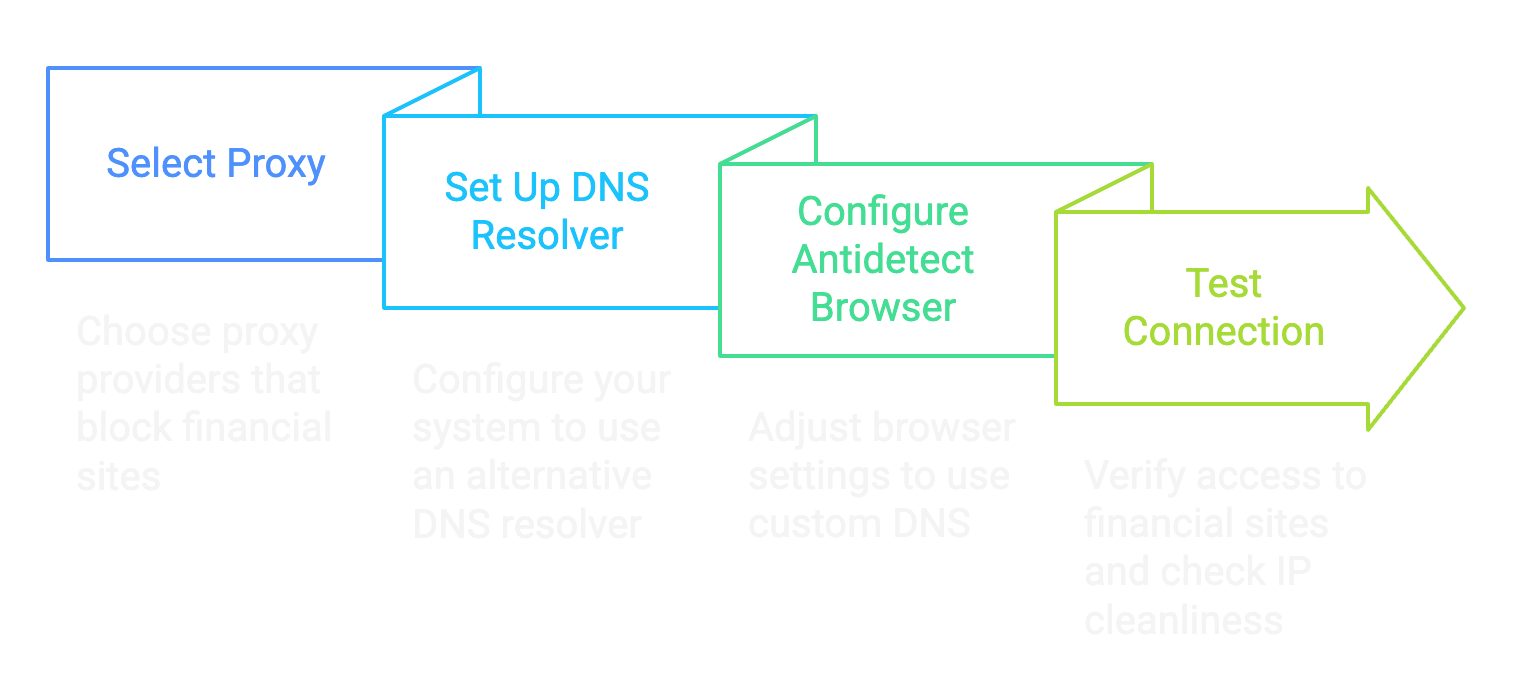
The problem is there isnt a singular way antidetect browsers manage DNS resolution, and this leads to a lot of people complaining and having issues with the method.

d0c's Proxy Script

Fuck relying on third-party software with a billion features when all you need is one goddamn thing. I got tired of watching newbies struggle with complex proxy setups so I built my own lightweight Python script that does exactly what we need - nothing more, nothing less.

This script sits between your browser and your proxy provider intercepting those DNS queries and routing them through Cloudflares 1.1.1.1 instead of whatever bullshit DNS your proxy provider forces on you. It's clean, efficient and doesnt require a PhD in networking to set up, and the best part: it works with every antidetect out there.

The beauty of this approach is its simplicity. No need to mess with system-wide network settings or fight with antidetect browsers' quirky implementations. Just run the script point your browser at the local port, and youve got pristine access to financial sites through clean residential IPs.

Here's the actual code that makes this magic happen:

* Hidden text: cannot be quoted. *


Step-by-Step Guide to Install

Step 1: Install Python 3.13

View attachment 8382
  • Open the Microsoft Store on your Windows computer
  • Search for "Python 3.13" in the search bar
  • Click on the Python 3.13 app from Microsoft or Python Software Foundation
  • Click "Get" or "Install" and wait for installation to complete
  • Once installed click "Open" or close the Microsoft Store

Step 2: Create a Project Directory
  • Open Command Prompt (Press Windows+R, type "cmd" and hit Enter)
  • Create a directory for the project:
Code:
mkdir C:\bindproxy
cd C:\bindproxy

View attachment 8388

Step 3: Create a Virtual Environment
  • Create a virtual environment to manage dependencies:
Code:
python -m venv venv
  • Activate the virtual environment:
Code:
venv\Scripts\activate

View attachment 8389

Step 4: Install Required Packages
  • While in the virtual environment (you'll see (venv) at the beginning of your command line) install the required packages:
Code:
pip install dnspython PySocks tabulate

View attachment 8390

Step 5: Create the Proxy Script
  • Create a new file called bindproxy.py in the project directory using any text editor (Notepad, VS Code etc.)
  • Copy the full code above into this file and save it

Step 6: Run the Proxy
  • In Command Prompt with the virtual environment activated, run:
Code:
python bindproxy.py
Code:
d0c's Proxy Binder
1. Bind Proxy
2. Current Proxies
3. Exit

Step 7: Bind a SOCKS5 Proxy
  • Select option 1 by typing 1 and pressing Enter
  • Enter your SOCKS5proxy details when prompted:
  • The tool will bind this proxy to a random local port between 6700-6900
View attachment 8387
View attachment 8383

Step 8: Configure Your Browser to Use the Proxy
  • Open your web browser or your antidetect
  • Set the HTTP proxy to 127.0.0.1 and the port to the one shown in the tool (e.g. 6708)
  • Test the connection by visiting a website
Step 9: Verify Your Setup Works
Time to make sure this shit actually works:
  • Visit ipinfo.io in your browser - it should show a residential IP from your proxy provider, not your real IP
  • Go to DNSLeakTest.com and run a standard test - the results should show Cloudflare DNS (not your ISP or proxy provider) (Ive covered this already but make sure to use a double-barrier approach if you are using a proxy outside of your own country since 1.1.1.1 connects to the nearest CF CDN, not having a VPN will make 1.1.1.1 leak your country)
    View attachment 8385
  • Head to https://1.1.1.1/help - this Cloudflare diagnostic page will confirm if you're actually using their DNS
  • The moment of truth: navigate to https://api.stripe.com - if it loads instead of timing out congratulations! Youve successfully bypassed the proxy's financial site blocking
    View attachment 8384

Conclusion

This method is the digital equivalent of putting on a disguise and sneaking past the bouncer. Your browser connects to my local proxy script, which handles the DNS resolution through Cloudflares clean 1.1.1.1 servers then forwards everything through your residential proxy.

Why is this better than other methods? Simple - it's transparent as fuck. You can see exactly what the code is doing, modify it if needed and it works with any browser that supports HTTP proxies - no more compatibility headaches.

The proxy providers think youre just accessing random IP addresses, when in reality you're hitting up financial sites without triggering their blocks. It's the perfect solution for carders who need clean IPs that can reliably access payment processors.

Now stop fucking around with broken setups and use a tool built specifically for our needs. d0ctrine out.
need that .py script
 

WD45

Newbie
Joined
20.11.25
Messages
4
Reaction score
1
Points
1
dTdVDJV.png

🌐 A Better Way to Get Clean Proxies 🌐

When I wrote 🌐 Strategic Carding: Getting the Cleanest Possible IPs 🌐 I didnt really expect many people to love it and use it regularly. It did what it was supposed to do and now tons of people have access to high-quality clean, residential proxies.


But it's not always rainbows and butterflies: lately people have been having problems setting up DNS on their antidetects. Often popular antidetects are having troubles resolving DNS properly leading to intermittent connections, often a lot of people even having trouble connecting in the first place. So today Im writing this guide to help everyone once and for all have clean and fast residential proxies.

The Theory

If you read through my previous guide about this the working theory is simple: we want proxy providers that block financial sites because this assures us that the proxies are unused in fraud and gives us an extremely higher chance in getting our from not getting blocked due to past history.

Wdgqh6X.png
The way we can work around this bypass is basically using our own DNS resolver, since these proxies block access through financial sites via DNS blocking. It's pretty simple: we use a different DNS (something like 1.1.1.1) than the proxy thus we resolve and not get blocked from financial sites.

The problem is there isnt a singular way antidetect browsers manage DNS resolution, and this leads to a lot of people complaining and having issues with the method.

d0c's Proxy Script

Fuck relying on third-party software with a billion features when all you need is one goddamn thing. I got tired of watching newbies struggle with complex proxy setups so I built my own lightweight Python script that does exactly what we need - nothing more, nothing less.

This script sits between your browser and your proxy provider intercepting those DNS queries and routing them through Cloudflares 1.1.1.1 instead of whatever bullshit DNS your proxy provider forces on you. It's clean, efficient and doesnt require a PhD in networking to set up, and the best part: it works with every antidetect out there.

The beauty of this approach is its simplicity. No need to mess with system-wide network settings or fight with antidetect browsers' quirky implementations. Just run the script point your browser at the local port, and youve got pristine access to financial sites through clean residential IPs.

Here's the actual code that makes this magic happen:

* Hidden text: cannot be quoted. *


Step-by-Step Guide to Install

Step 1: Install Python 3.13

View attachment 8382
  • Open the Microsoft Store on your Windows computer
  • Search for "Python 3.13" in the search bar
  • Click on the Python 3.13 app from Microsoft or Python Software Foundation
  • Click "Get" or "Install" and wait for installation to complete
  • Once installed click "Open" or close the Microsoft Store

Step 2: Create a Project Directory
  • Open Command Prompt (Press Windows+R, type "cmd" and hit Enter)
  • Create a directory for the project:
Code:
mkdir C:\bindproxy
cd C:\bindproxy

View attachment 8388

Step 3: Create a Virtual Environment
  • Create a virtual environment to manage dependencies:
Code:
python -m venv venv
  • Activate the virtual environment:
Code:
venv\Scripts\activate

View attachment 8389

Step 4: Install Required Packages
  • While in the virtual environment (you'll see (venv) at the beginning of your command line) install the required packages:
Code:
pip install dnspython PySocks tabulate

View attachment 8390

Step 5: Create the Proxy Script
  • Create a new file called bindproxy.py in the project directory using any text editor (Notepad, VS Code etc.)
  • Copy the full code above into this file and save it

Step 6: Run the Proxy
  • In Command Prompt with the virtual environment activated, run:
Code:
python bindproxy.py
Code:
d0c's Proxy Binder
1. Bind Proxy
2. Current Proxies
3. Exit

Step 7: Bind a SOCKS5 Proxy
  • Select option 1 by typing 1 and pressing Enter
  • Enter your SOCKS5proxy details when prompted:
  • The tool will bind this proxy to a random local port between 6700-6900
View attachment 8387
View attachment 8383

Step 8: Configure Your Browser to Use the Proxy
  • Open your web browser or your antidetect
  • Set the HTTP proxy to 127.0.0.1 and the port to the one shown in the tool (e.g. 6708)
  • Test the connection by visiting a website
Step 9: Verify Your Setup Works
Time to make sure this shit actually works:
  • Visit ipinfo.io in your browser - it should show a residential IP from your proxy provider, not your real IP
  • Go to DNSLeakTest.com and run a standard test - the results should show Cloudflare DNS (not your ISP or proxy provider) (Ive covered this already but make sure to use a double-barrier approach if you are using a proxy outside of your own country since 1.1.1.1 connects to the nearest CF CDN, not having a VPN will make 1.1.1.1 leak your country)
    View attachment 8385
  • Head to https://1.1.1.1/help - this Cloudflare diagnostic page will confirm if you're actually using their DNS
  • The moment of truth: navigate to https://api.stripe.com - if it loads instead of timing out congratulations! Youve successfully bypassed the proxy's financial site blocking
    View attachment 8384

Conclusion

This method is the digital equivalent of putting on a disguise and sneaking past the bouncer. Your browser connects to my local proxy script, which handles the DNS resolution through Cloudflares clean 1.1.1.1 servers then forwards everything through your residential proxy.

Why is this better than other methods? Simple - it's transparent as fuck. You can see exactly what the code is doing, modify it if needed and it works with any browser that supports HTTP proxies - no more compatibility headaches.

The proxy providers think youre just accessing random IP addresses, when in reality you're hitting up financial sites without triggering their blocks. It's the perfect solution for carders who need clean IPs that can reliably access payment processors.

Now stop fucking around with broken setups and use a tool built specifically for our needs. d0ctrine out.
Gratitude $$
 

bupekbangsat

Newbie
Joined
16.04.24
Messages
15
Reaction score
1
Points
3
dTdVDJV.png

🌐 A Better Way to Get Clean Proxies 🌐

When I wrote 🌐 Strategic Carding: Getting the Cleanest Possible IPs 🌐 I didnt really expect many people to love it and use it regularly. It did what it was supposed to do and now tons of people have access to high-quality clean, residential proxies.


But it's not always rainbows and butterflies: lately people have been having problems setting up DNS on their antidetects. Often popular antidetects are having troubles resolving DNS properly leading to intermittent connections, often a lot of people even having trouble connecting in the first place. So today Im writing this guide to help everyone once and for all have clean and fast residential proxies.

The Theory

If you read through my previous guide about this the working theory is simple: we want proxy providers that block financial sites because this assures us that the proxies are unused in fraud and gives us an extremely higher chance in getting our from not getting blocked due to past history.

Wdgqh6X.png
The way we can work around this bypass is basically using our own DNS resolver, since these proxies block access through financial sites via DNS blocking. It's pretty simple: we use a different DNS (something like 1.1.1.1) than the proxy thus we resolve and not get blocked from financial sites.

The problem is there isnt a singular way antidetect browsers manage DNS resolution, and this leads to a lot of people complaining and having issues with the method.

d0c's Proxy Script

Fuck relying on third-party software with a billion features when all you need is one goddamn thing. I got tired of watching newbies struggle with complex proxy setups so I built my own lightweight Python script that does exactly what we need - nothing more, nothing less.

This script sits between your browser and your proxy provider intercepting those DNS queries and routing them through Cloudflares 1.1.1.1 instead of whatever bullshit DNS your proxy provider forces on you. It's clean, efficient and doesnt require a PhD in networking to set up, and the best part: it works with every antidetect out there.

The beauty of this approach is its simplicity. No need to mess with system-wide network settings or fight with antidetect browsers' quirky implementations. Just run the script point your browser at the local port, and youve got pristine access to financial sites through clean residential IPs.

Here's the actual code that makes this magic happen:

* Hidden text: cannot be quoted. *


Step-by-Step Guide to Install

Step 1: Install Python 3.13

View attachment 8382
  • Open the Microsoft Store on your Windows computer
  • Search for "Python 3.13" in the search bar
  • Click on the Python 3.13 app from Microsoft or Python Software Foundation
  • Click "Get" or "Install" and wait for installation to complete
  • Once installed click "Open" or close the Microsoft Store

Step 2: Create a Project Directory
  • Open Command Prompt (Press Windows+R, type "cmd" and hit Enter)
  • Create a directory for the project:
Code:
mkdir C:\bindproxy
cd C:\bindproxy

View attachment 8388

Step 3: Create a Virtual Environment
  • Create a virtual environment to manage dependencies:
Code:
python -m venv venv
  • Activate the virtual environment:
Code:
venv\Scripts\activate

View attachment 8389

Step 4: Install Required Packages
  • While in the virtual environment (you'll see (venv) at the beginning of your command line) install the required packages:
Code:
pip install dnspython PySocks tabulate

View attachment 8390

Step 5: Create the Proxy Script
  • Create a new file called bindproxy.py in the project directory using any text editor (Notepad, VS Code etc.)
  • Copy the full code above into this file and save it

Step 6: Run the Proxy
  • In Command Prompt with the virtual environment activated, run:
Code:
python bindproxy.py
Code:
d0c's Proxy Binder
1. Bind Proxy
2. Current Proxies
3. Exit

Step 7: Bind a SOCKS5 Proxy
  • Select option 1 by typing 1 and pressing Enter
  • Enter your SOCKS5proxy details when prompted:
  • The tool will bind this proxy to a random local port between 6700-6900
View attachment 8387
View attachment 8383

Step 8: Configure Your Browser to Use the Proxy
  • Open your web browser or your antidetect
  • Set the HTTP proxy to 127.0.0.1 and the port to the one shown in the tool (e.g. 6708)
  • Test the connection by visiting a website
Step 9: Verify Your Setup Works
Time to make sure this shit actually works:
  • Visit ipinfo.io in your browser - it should show a residential IP from your proxy provider, not your real IP
  • Go to DNSLeakTest.com and run a standard test - the results should show Cloudflare DNS (not your ISP or proxy provider) (Ive covered this already but make sure to use a double-barrier approach if you are using a proxy outside of your own country since 1.1.1.1 connects to the nearest CF CDN, not having a VPN will make 1.1.1.1 leak your country)
    View attachment 8385
  • Head to https://1.1.1.1/help - this Cloudflare diagnostic page will confirm if you're actually using their DNS
  • The moment of truth: navigate to https://api.stripe.com - if it loads instead of timing out congratulations! Youve successfully bypassed the proxy's financial site blocking
    View attachment 8384

Conclusion

This method is the digital equivalent of putting on a disguise and sneaking past the bouncer. Your browser connects to my local proxy script, which handles the DNS resolution through Cloudflares clean 1.1.1.1 servers then forwards everything through your residential proxy.

Why is this better than other methods? Simple - it's transparent as fuck. You can see exactly what the code is doing, modify it if needed and it works with any browser that supports HTTP proxies - no more compatibility headaches.

The proxy providers think youre just accessing random IP addresses, when in reality you're hitting up financial sites without triggering their blocks. It's the perfect solution for carders who need clean IPs that can reliably access payment processors.

Now stop fucking around with broken setups and use a tool built specifically for our needs. d0ctrine out.
thx
 

Daggybro

Newbie
Joined
05.12.25
Messages
4
Reaction score
0
Points
1
dTdVDJV.png

🌐 A Better Way to Get Clean Proxies 🌐

When I wrote 🌐 Strategic Carding: Getting the Cleanest Possible IPs 🌐 I didnt really expect many people to love it and use it regularly. It did what it was supposed to do and now tons of people have access to high-quality clean, residential proxies.


But it's not always rainbows and butterflies: lately people have been having problems setting up DNS on their antidetects. Often popular antidetects are having troubles resolving DNS properly leading to intermittent connections, often a lot of people even having trouble connecting in the first place. So today Im writing this guide to help everyone once and for all have clean and fast residential proxies.

The Theory

If you read through my previous guide about this the working theory is simple: we want proxy providers that block financial sites because this assures us that the proxies are unused in fraud and gives us an extremely higher chance in getting our from not getting blocked due to past history.

Wdgqh6X.png
The way we can work around this bypass is basically using our own DNS resolver, since these proxies block access through financial sites via DNS blocking. It's pretty simple: we use a different DNS (something like 1.1.1.1) than the proxy thus we resolve and not get blocked from financial sites.

The problem is there isnt a singular way antidetect browsers manage DNS resolution, and this leads to a lot of people complaining and having issues with the method.

d0c's Proxy Script

Fuck relying on third-party software with a billion features when all you need is one goddamn thing. I got tired of watching newbies struggle with complex proxy setups so I built my own lightweight Python script that does exactly what we need - nothing more, nothing less.

This script sits between your browser and your proxy provider intercepting those DNS queries and routing them through Cloudflares 1.1.1.1 instead of whatever bullshit DNS your proxy provider forces on you. It's clean, efficient and doesnt require a PhD in networking to set up, and the best part: it works with every antidetect out there.

The beauty of this approach is its simplicity. No need to mess with system-wide network settings or fight with antidetect browsers' quirky implementations. Just run the script point your browser at the local port, and youve got pristine access to financial sites through clean residential IPs.

Here's the actual code that makes this magic happen:

* Hidden text: cannot be quoted. *


Step-by-Step Guide to Install

Step 1: Install Python 3.13

View attachment 8382
  • Open the Microsoft Store on your Windows computer
  • Search for "Python 3.13" in the search bar
  • Click on the Python 3.13 app from Microsoft or Python Software Foundation
  • Click "Get" or "Install" and wait for installation to complete
  • Once installed click "Open" or close the Microsoft Store

Step 2: Create a Project Directory
  • Open Command Prompt (Press Windows+R, type "cmd" and hit Enter)
  • Create a directory for the project:
Code:
mkdir C:\bindproxy
cd C:\bindproxy

View attachment 8388

Step 3: Create a Virtual Environment
  • Create a virtual environment to manage dependencies:
Code:
python -m venv venv
  • Activate the virtual environment:
Code:
venv\Scripts\activate

View attachment 8389

Step 4: Install Required Packages
  • While in the virtual environment (you'll see (venv) at the beginning of your command line) install the required packages:
Code:
pip install dnspython PySocks tabulate

View attachment 8390

Step 5: Create the Proxy Script
  • Create a new file called bindproxy.py in the project directory using any text editor (Notepad, VS Code etc.)
  • Copy the full code above into this file and save it

Step 6: Run the Proxy
  • In Command Prompt with the virtual environment activated, run:
Code:
python bindproxy.py
Code:
d0c's Proxy Binder
1. Bind Proxy
2. Current Proxies
3. Exit

Step 7: Bind a SOCKS5 Proxy
  • Select option 1 by typing 1 and pressing Enter
  • Enter your SOCKS5proxy details when prompted:
  • The tool will bind this proxy to a random local port between 6700-6900
View attachment 8387
View attachment 8383

Step 8: Configure Your Browser to Use the Proxy
  • Open your web browser or your antidetect
  • Set the HTTP proxy to 127.0.0.1 and the port to the one shown in the tool (e.g. 6708)
  • Test the connection by visiting a website
Step 9: Verify Your Setup Works
Time to make sure this shit actually works:
  • Visit ipinfo.io in your browser - it should show a residential IP from your proxy provider, not your real IP
  • Go to DNSLeakTest.com and run a standard test - the results should show Cloudflare DNS (not your ISP or proxy provider) (Ive covered this already but make sure to use a double-barrier approach if you are using a proxy outside of your own country since 1.1.1.1 connects to the nearest CF CDN, not having a VPN will make 1.1.1.1 leak your country)
    View attachment 8385
  • Head to https://1.1.1.1/help - this Cloudflare diagnostic page will confirm if you're actually using their DNS
  • The moment of truth: navigate to https://api.stripe.com - if it loads instead of timing out congratulations! Youve successfully bypassed the proxy's financial site blocking
    View attachment 8384

Conclusion

This method is the digital equivalent of putting on a disguise and sneaking past the bouncer. Your browser connects to my local proxy script, which handles the DNS resolution through Cloudflares clean 1.1.1.1 servers then forwards everything through your residential proxy.

Why is this better than other methods? Simple - it's transparent as fuck. You can see exactly what the code is doing, modify it if needed and it works with any browser that supports HTTP proxies - no more compatibility headaches.

The proxy providers think youre just accessing random IP addresses, when in reality you're hitting up financial sites without triggering their blocks. It's the perfect solution for carders who need clean IPs that can reliably access payment processors.

Now stop fucking around with broken setups and use a tool built specifically for our needs. d0ctrine out.
Fire
 

killbtcltc

Newbie
Joined
06.12.25
Messages
1
Reaction score
0
Points
1
dTdVDJV.png

🌐 A Better Way to Get Clean Proxies 🌐

When I wrote 🌐 Strategic Carding: Getting the Cleanest Possible IPs 🌐 I didnt really expect many people to love it and use it regularly. It did what it was supposed to do and now tons of people have access to high-quality clean, residential proxies.


But it's not always rainbows and butterflies: lately people have been having problems setting up DNS on their antidetects. Often popular antidetects are having troubles resolving DNS properly leading to intermittent connections, often a lot of people even having trouble connecting in the first place. So today Im writing this guide to help everyone once and for all have clean and fast residential proxies.

The Theory

If you read through my previous guide about this the working theory is simple: we want proxy providers that block financial sites because this assures us that the proxies are unused in fraud and gives us an extremely higher chance in getting our from not getting blocked due to past history.

Wdgqh6X.png
The way we can work around this bypass is basically using our own DNS resolver, since these proxies block access through financial sites via DNS blocking. It's pretty simple: we use a different DNS (something like 1.1.1.1) than the proxy thus we resolve and not get blocked from financial sites.

The problem is there isnt a singular way antidetect browsers manage DNS resolution, and this leads to a lot of people complaining and having issues with the method.

d0c's Proxy Script

Fuck relying on third-party software with a billion features when all you need is one goddamn thing. I got tired of watching newbies struggle with complex proxy setups so I built my own lightweight Python script that does exactly what we need - nothing more, nothing less.

This script sits between your browser and your proxy provider intercepting those DNS queries and routing them through Cloudflares 1.1.1.1 instead of whatever bullshit DNS your proxy provider forces on you. It's clean, efficient and doesnt require a PhD in networking to set up, and the best part: it works with every antidetect out there.

The beauty of this approach is its simplicity. No need to mess with system-wide network settings or fight with antidetect browsers' quirky implementations. Just run the script point your browser at the local port, and youve got pristine access to financial sites through clean residential IPs.

Here's the actual code that makes this magic happen:

* Hidden text: cannot be quoted. *


Step-by-Step Guide to Install

Step 1: Install Python 3.13

View attachment 8382
  • Open the Microsoft Store on your Windows computer
  • Search for "Python 3.13" in the search bar
  • Click on the Python 3.13 app from Microsoft or Python Software Foundation
  • Click "Get" or "Install" and wait for installation to complete
  • Once installed click "Open" or close the Microsoft Store

Step 2: Create a Project Directory
  • Open Command Prompt (Press Windows+R, type "cmd" and hit Enter)
  • Create a directory for the project:
Code:
mkdir C:\bindproxy
cd C:\bindproxy

View attachment 8388

Step 3: Create a Virtual Environment
  • Create a virtual environment to manage dependencies:
Code:
python -m venv venv
  • Activate the virtual environment:
Code:
venv\Scripts\activate

View attachment 8389

Step 4: Install Required Packages
  • While in the virtual environment (you'll see (venv) at the beginning of your command line) install the required packages:
Code:
pip install dnspython PySocks tabulate

View attachment 8390

Step 5: Create the Proxy Script
  • Create a new file called bindproxy.py in the project directory using any text editor (Notepad, VS Code etc.)
  • Copy the full code above into this file and save it

Step 6: Run the Proxy
  • In Command Prompt with the virtual environment activated, run:
Code:
python bindproxy.py
Code:
d0c's Proxy Binder
1. Bind Proxy
2. Current Proxies
3. Exit

Step 7: Bind a SOCKS5 Proxy
  • Select option 1 by typing 1 and pressing Enter
  • Enter your SOCKS5proxy details when prompted:
  • The tool will bind this proxy to a random local port between 6700-6900
View attachment 8387
View attachment 8383

Step 8: Configure Your Browser to Use the Proxy
  • Open your web browser or your antidetect
  • Set the HTTP proxy to 127.0.0.1 and the port to the one shown in the tool (e.g. 6708)
  • Test the connection by visiting a website
Step 9: Verify Your Setup Works
Time to make sure this shit actually works:
  • Visit ipinfo.io in your browser - it should show a residential IP from your proxy provider, not your real IP
  • Go to DNSLeakTest.com and run a standard test - the results should show Cloudflare DNS (not your ISP or proxy provider) (Ive covered this already but make sure to use a double-barrier approach if you are using a proxy outside of your own country since 1.1.1.1 connects to the nearest CF CDN, not having a VPN will make 1.1.1.1 leak your country)
    View attachment 8385
  • Head to https://1.1.1.1/help - this Cloudflare diagnostic page will confirm if you're actually using their DNS
  • The moment of truth: navigate to https://api.stripe.com - if it loads instead of timing out congratulations! Youve successfully bypassed the proxy's financial site blocking
    View attachment 8384

Conclusion

This method is the digital equivalent of putting on a disguise and sneaking past the bouncer. Your browser connects to my local proxy script, which handles the DNS resolution through Cloudflares clean 1.1.1.1 servers then forwards everything through your residential proxy.

Why is this better than other methods? Simple - it's transparent as fuck. You can see exactly what the code is doing, modify it if needed and it works with any browser that supports HTTP proxies - no more compatibility headaches.

The proxy providers think youre just accessing random IP addresses, when in reality you're hitting up financial sites without triggering their blocks. It's the perfect solution for carders who need clean IPs that can reliably access payment processors.

Now stop fucking around with broken setups and use a tool built specifically for our needs. d0ctrine out.
nice u the goat
 

openglass2

Newbie
Joined
03.12.25
Messages
3
Reaction score
1
Points
1
dTdVDJV.png

🌐 A Better Way to Get Clean Proxies 🌐

When I wrote 🌐 Strategic Carding: Getting the Cleanest Possible IPs 🌐 I didnt really expect many people to love it and use it regularly. It did what it was supposed to do and now tons of people have access to high-quality clean, residential proxies.


But it's not always rainbows and butterflies: lately people have been having problems setting up DNS on their antidetects. Often popular antidetects are having troubles resolving DNS properly leading to intermittent connections, often a lot of people even having trouble connecting in the first place. So today Im writing this guide to help everyone once and for all have clean and fast residential proxies.

The Theory

If you read through my previous guide about this the working theory is simple: we want proxy providers that block financial sites because this assures us that the proxies are unused in fraud and gives us an extremely higher chance in getting our from not getting blocked due to past history.

Wdgqh6X.png
The way we can work around this bypass is basically using our own DNS resolver, since these proxies block access through financial sites via DNS blocking. It's pretty simple: we use a different DNS (something like 1.1.1.1) than the proxy thus we resolve and not get blocked from financial sites.

The problem is there isnt a singular way antidetect browsers manage DNS resolution, and this leads to a lot of people complaining and having issues with the method.

d0c's Proxy Script

Fuck relying on third-party software with a billion features when all you need is one goddamn thing. I got tired of watching newbies struggle with complex proxy setups so I built my own lightweight Python script that does exactly what we need - nothing more, nothing less.

This script sits between your browser and your proxy provider intercepting those DNS queries and routing them through Cloudflares 1.1.1.1 instead of whatever bullshit DNS your proxy provider forces on you. It's clean, efficient and doesnt require a PhD in networking to set up, and the best part: it works with every antidetect out there.

The beauty of this approach is its simplicity. No need to mess with system-wide network settings or fight with antidetect browsers' quirky implementations. Just run the script point your browser at the local port, and youve got pristine access to financial sites through clean residential IPs.

Here's the actual code that makes this magic happen:

* Hidden text: cannot be quoted. *


Step-by-Step Guide to Install

Step 1: Install Python 3.13

View attachment 8382
  • Open the Microsoft Store on your Windows computer
  • Search for "Python 3.13" in the search bar
  • Click on the Python 3.13 app from Microsoft or Python Software Foundation
  • Click "Get" or "Install" and wait for installation to complete
  • Once installed click "Open" or close the Microsoft Store

Step 2: Create a Project Directory
  • Open Command Prompt (Press Windows+R, type "cmd" and hit Enter)
  • Create a directory for the project:
Code:
mkdir C:\bindproxy
cd C:\bindproxy

View attachment 8388

Step 3: Create a Virtual Environment
  • Create a virtual environment to manage dependencies:
Code:
python -m venv venv
  • Activate the virtual environment:
Code:
venv\Scripts\activate

View attachment 8389

Step 4: Install Required Packages
  • While in the virtual environment (you'll see (venv) at the beginning of your command line) install the required packages:
Code:
pip install dnspython PySocks tabulate

View attachment 8390

Step 5: Create the Proxy Script
  • Create a new file called bindproxy.py in the project directory using any text editor (Notepad, VS Code etc.)
  • Copy the full code above into this file and save it

Step 6: Run the Proxy
  • In Command Prompt with the virtual environment activated, run:
Code:
python bindproxy.py
Code:
d0c's Proxy Binder
1. Bind Proxy
2. Current Proxies
3. Exit

Step 7: Bind a SOCKS5 Proxy
  • Select option 1 by typing 1 and pressing Enter
  • Enter your SOCKS5proxy details when prompted:
  • The tool will bind this proxy to a random local port between 6700-6900
View attachment 8387
View attachment 8383

Step 8: Configure Your Browser to Use the Proxy
  • Open your web browser or your antidetect
  • Set the HTTP proxy to 127.0.0.1 and the port to the one shown in the tool (e.g. 6708)
  • Test the connection by visiting a website
Step 9: Verify Your Setup Works
Time to make sure this shit actually works:
  • Visit ipinfo.io in your browser - it should show a residential IP from your proxy provider, not your real IP
  • Go to DNSLeakTest.com and run a standard test - the results should show Cloudflare DNS (not your ISP or proxy provider) (Ive covered this already but make sure to use a double-barrier approach if you are using a proxy outside of your own country since 1.1.1.1 connects to the nearest CF CDN, not having a VPN will make 1.1.1.1 leak your country)
    View attachment 8385
  • Head to https://1.1.1.1/help - this Cloudflare diagnostic page will confirm if you're actually using their DNS
  • The moment of truth: navigate to https://api.stripe.com - if it loads instead of timing out congratulations! Youve successfully bypassed the proxy's financial site blocking
    View attachment 8384

Conclusion

This method is the digital equivalent of putting on a disguise and sneaking past the bouncer. Your browser connects to my local proxy script, which handles the DNS resolution through Cloudflares clean 1.1.1.1 servers then forwards everything through your residential proxy.

Why is this better than other methods? Simple - it's transparent as fuck. You can see exactly what the code is doing, modify it if needed and it works with any browser that supports HTTP proxies - no more compatibility headaches.

The proxy providers think youre just accessing random IP addresses, when in reality you're hitting up financial sites without triggering their blocks. It's the perfect solution for carders who need clean IPs that can reliably access payment processors.

Now stop fucking around with broken setups and use a tool built specifically for our needs. d0ctrine out.
fire
 

ricohrh91

Newbie
Joined
13.05.22
Messages
3
Reaction score
0
Points
1
dTdVDJV.png

🌐 A Better Way to Get Clean Proxies 🌐

When I wrote 🌐 Strategic Carding: Getting the Cleanest Possible IPs 🌐 I didnt really expect many people to love it and use it regularly. It did what it was supposed to do and now tons of people have access to high-quality clean, residential proxies.


But it's not always rainbows and butterflies: lately people have been having problems setting up DNS on their antidetects. Often popular antidetects are having troubles resolving DNS properly leading to intermittent connections, often a lot of people even having trouble connecting in the first place. So today Im writing this guide to help everyone once and for all have clean and fast residential proxies.

The Theory

If you read through my previous guide about this the working theory is simple: we want proxy providers that block financial sites because this assures us that the proxies are unused in fraud and gives us an extremely higher chance in getting our from not getting blocked due to past history.

Wdgqh6X.png
The way we can work around this bypass is basically using our own DNS resolver, since these proxies block access through financial sites via DNS blocking. It's pretty simple: we use a different DNS (something like 1.1.1.1) than the proxy thus we resolve and not get blocked from financial sites.

The problem is there isnt a singular way antidetect browsers manage DNS resolution, and this leads to a lot of people complaining and having issues with the method.

d0c's Proxy Script

Fuck relying on third-party software with a billion features when all you need is one goddamn thing. I got tired of watching newbies struggle with complex proxy setups so I built my own lightweight Python script that does exactly what we need - nothing more, nothing less.

This script sits between your browser and your proxy provider intercepting those DNS queries and routing them through Cloudflares 1.1.1.1 instead of whatever bullshit DNS your proxy provider forces on you. It's clean, efficient and doesnt require a PhD in networking to set up, and the best part: it works with every antidetect out there.

The beauty of this approach is its simplicity. No need to mess with system-wide network settings or fight with antidetect browsers' quirky implementations. Just run the script point your browser at the local port, and youve got pristine access to financial sites through clean residential IPs.

Here's the actual code that makes this magic happen:

* Hidden text: cannot be quoted. *


安装分步指南

步骤 1:安装 Python 3.13

View attachment 8382
  • 在您的 Windows 电脑上打开Microsoft Store 。
  • 在搜索栏中搜索“ Python 3.13 ”
  • 点击来自微软Python 软件基金会的Python 3.13应用。
  • 点击“获取”或“安装”,等待安装完成。
  • 安装完成后,点击“打开”或关闭Microsoft Store。

步骤 2:创建项目目录
  • 打开命令提示符(按 Windows+R,输入“cmd”并按 Enter 键)
  • 创建项目目录:
[代码]
mkdir C:\bindproxy
cd C:\bindproxy
[/代码]

View attachment 8388

步骤 3:创建虚拟环境
  • 创建虚拟环境以管理依赖项:
[代码]
python -m venv venv
[/代码]
  • 激活虚拟环境:
[代码]
venv\Scripts\activate
[/代码]

View attachment 8389

步骤四:安装所需软件包
  • 在虚拟环境中(您会在命令行开头看到 (venv)),安装所需的软件包:
[代码]
使用 pip 安装 dnspython PySocks 制表
[/代码]

View attachment 8390

步骤五:创建代理脚本
  • 使用任意文本编辑器(例如记事本VS Code等)在项目目录中创建一个名为bindproxy.py的新文件。
  • 将上面的完整代码复制到此文件中并保存。

步骤 6:运行代理
  • 在已激活虚拟环境的命令提示符中运行:
[代码]
python bindproxy.py
[/代码]
[代码]
d0c 的代理绑定器
1. 绑定代理
2. 当前代理
3. 出口
[/代码]

步骤 7:绑定 SOCKS5 代理
  • 输入 1 并按 Enter 键选择选项 1。
  • 出现提示时,请输入您的SOCKS5代理详细信息:
    • 格式:用户名:密码@服务器:端口
    • 示例:user123: [email protected] :1080
  • 该工具会将此代理绑定到 6700-6900 之间的随机本地端口。
View attachment 8387
View attachment 8383

步骤 8:配置浏览器以使用代理
  • 打开您的网络浏览器或反检测程序
  • 将HTTP代理设置为127.0.0.1,端口设置为工具中显示的端口号(例如6708)。
  • 访问网站测试连接
步骤 9:验证您的设置是否有效
是时候检验这玩意儿是否真的有效了:
  • 在浏览器中访问ipinfo.io - 它应该显示来自代理提供商的住宅 IP地址,而不是您的真实 IP 地址。
  • 访问DNSLeakTest.com并运行标准测试 - 结果应显示Cloudflare DNS (而不是您的 ISP 或代理提供商)(我之前已经提到过,但如果您在国外使用代理,请务必使用双重屏障方法,因为 1.1.1.1 会连接到最近的 Cloudflare CDN,如果没有 VPN,1.1.1.1 会泄露您的国家/地区)。
    View attachment 8385
  • 请访问https://1.1.1.1/help - 这个Cloudflare诊断页面将确认您是否正在使用他们的 DNS 服务器。
  • 关键时刻到了:访问https://api.stripe.com - 如果页面加载成功而不是超时,恭喜!您已成功绕过代理服务器对金融网站的屏蔽。
    View attachment 8384

结论

这种方法相当于在数字世界里乔装打扮,偷偷溜过保安。你的浏览器会连接到我的本地代理脚本,该脚本会通过Cloudflare 的1.1.1.1服务器处理 DNS 解析然后将所有请求转发到你的家庭代理服务器。

为什么这种方法比其他方法更好?很简单——它完全透明。你可以清楚地看到代码的运行过程,必要时可以进行修改,而且它适用于任何支持 HTTP 代理的浏览器——再也不用担心兼容性问题了

代理服务商以为你只是在访问随机IP地址,但实际上你是在访问金融网站而不会触发它们的屏蔽。这对于需要干净IP地址、能够可靠访问支付处理平台的盗刷者来说,是完美的解决方案。

别再瞎折腾那些有问题的配置了,用专门为我们需求打造的工具吧。d0ctrine 下线。
tks。 good tut
 
Top Bottom